Category: ShopSEO Guide

  • How to Improve Shopify Site Speed SEO Optimization 2026 

    How to Improve Shopify Site Speed SEO Optimization 2026 

    Learning how to improve Shopify site speed and SEO in 2026 helps protect your store’s shopping experience and sales. Shopify’s 2026 analysis found that every 100 milliseconds of slower load time was associated with conversion rates about 3.5% lower. When mobile pages take several seconds to load, shoppers may leave before seeing your products, making speed optimization an important part of your store’s SEO strategy. 

    Here is a quick summary of the highest-impact speed fixes you can apply to your online store today:

    • Quick Summary for Busy Store Owners:
      • Compress Heavy Product Photos: Images make up most of your page weight and shrinking them delivers the fastest loading improvement.
      • Load Main Images First: Preload your primary product or hero banner photo so shoppers see your main content right away.
      • Defer Third-Party App Scripts: Load chat widgets, review badges, and tracking scripts after the main page finishes rendering on screen.
      • Show Text While Fonts Load: Prevent invisible text delays on mobile screens by letting fallback system text appear while custom fonts download.
      • Always Back Up Your Theme First: Never edit theme code without an automatic backup and a simple way to undo changes safely.

    Why Google Core Web Vitals Drive Your Organic Store Traffic?

    Google Search Central confirms that Core Web Vitals are used directly by its ranking systems to reward fast pages. These metrics measure how real Chrome users experience your store’s loading speed, button responsiveness, and visual layout stability.

    Here is how each official Google metric works and what usually slows it down on a Shopify store:

    Core Web Vital MetricOfficial Google Passing TargetWhat It Measures for ShoppersMost Common Culprit on Shopify Stores
    Largest Contentful Paint (LCP)Under 2.5 seconds from when the page starts loading.How fast the largest visible image or headline appears on the customer’s screen.Multi-megabyte product photos or lazy loading applied accidentally to the top hero banner.
    Interaction to Next Paint (INP)Under 200 milliseconds when a user clicks or taps.How quickly the page responds when a shopper taps a size selector or cart button.Heavy JavaScript files injected by multiple third-party apps running during initial page load.
    Cumulative Layout Shift (CLS)Score of less than 0.1 across the entire page session.Whether images, announcement bars, or fonts jump around while the page is still loading.Product images missing width and height attributes or late-loading promotional pop-up banners.

    Separating Built-In Shopify CDN Features From Manual Tasks

    Many generic blog posts give terrible advice like telling Shopify store owners to edit server .htaccess files manually. Because Shopify is a fully hosted platform, its global infrastructure already manages server-level caching and file compression automatically.

    Here is what the platform handles behind the scenes versus where your manual speed optimization efforts actually belong:

    • What Shopify’s Global Infrastructure Already Handles Automatically:
      • Global Content Delivery Network (CDN): Automatically distributes copies of your store’s images and static files across servers worldwide to lower latency.
      • Automatic Gzip and Brotli Compression: Compresses text responses from the server automatically without requiring you to configure any hosting control panels.
      • Server-Level Browser Caching Headers: Caches static assets for returning visitors automatically so you never need to touch server configuration files.
    • What You Still Must Optimize Inside Your Storefront:
      • Raw Media Upload Sizes: Uploading a three-megabyte camera photo still forces mobile browsers to download far too much data.
      • Render-Blocking App JavaScript: Every app you install can inject scripts into your theme header that pause page rendering.
      • Theme Font and Image Loading Order: Your theme controls whether above-the-fold images load first or get delayed behind heavy tracking scripts.
      • Redirect Chains and Broken Links: Internal links pointing to redirected URLs add extra server round-trips that slow down initial loading.

    Compressing Heavy Product Images Without Losing Clear Views

    Images represent the largest share of total page weight on almost every ecommerce product and collection page today. Google’s web performance documentation notes that the Largest Contentful Paint element is an image on roughly eighty percent of pages.

    Here are three straightforward steps to cut megabytes off your pages while keeping your product photos crisp:

    1. Resizing Raw Camera Photos Before Uploading

    Many store owners upload studio photos straight from a camera, leaving product images several megabytes in size. Shopify’s 2026 image optimization guide reports that WebP images can be 24%–34% smaller than JPEGs at comparable visual quality, helping reduce file sizes without a noticeable loss of detail when compressed carefully.

    Resize images to fit their display area and choose an efficient format to help shoppers view product photos without unnecessary download delays.

    1. Preloading Main Hero Images for Faster Paint

    Your browser needs to know immediately which image matters most at the very top of your storefront. Telling the browser to load the main product or banner image first shaves hundreds of milliseconds off load times. Never apply lazy loading to your main top-of-page image because that intentionally delays your Largest Contentful Paint score.

    1. Adding Lazy Loading to Below-Fold Media Files

    Shoppers cannot see the twenty product thumbnails sitting at the bottom of your collection page when they first arrive. Enabling lazy loading for off-screen images and videos defers downloading them until the shopper actually scrolls down. This simple adjustment keeps initial mobile page weight low and speeds up above-the-fold rendering across your catalog.

    Cleaning Up Bloated App Scripts and Leftover Theme Code Now

    Pop-ups, loyalty programs, and chat widgets can add extra code that your Shopify store needs to load. Shopify’s 2026 speed guide cites research from Yottaa’s Web Performance Index, which found that third-party apps accounted for 44% of total page load time.

    This shows why it’s worth checking which apps and scripts your store loads. Remove apps you no longer use, clean up leftover code when necessary, and delay non-essential scripts so shoppers can see your products sooner. 

    Here is how you can stop heavy app code from hurting your search rankings and mobile conversion rates:

    1. Loading Third-Party App Scripts After Render

    Most third-party widgets do not need to run during the first half-second when a shopper opens your page. Deferring non-critical app scripts until after the main page renders can save hundreds of milliseconds on mobile devices. Shoppers see your product photos and prices immediately while secondary scripts load quietly in the background afterward.

    1. Removing Leftover Code From Deleted Store Apps

    Uninstalling an app from your Shopify admin settings does not always remove the code it injected into your theme. Old script tags and liquid snippets often stay behind in theme.liquid, forcing browsers to fetch dead external files. Auditing your theme files after removing unused apps clears out dead code that silently drags down your speed.

    1. Avoiding Duplicate Schema and Tracking Pixels

    Running multiple marketing or SEO apps often causes duplicate tracking pixels and conflicting structured data markup on every page. Consolidating your SEO checks, image compression, broken link scanning, and schema into one lightweight workflow prevents script bloat. You can see how a single tool replaces six separate app categories on the ShopSEO Features overview page.

    Want to see how much weight you can cut from your product images and pages in one click? Visit ShopSEO to scan your store for oversized images and see the exact speed fixes available for your theme.

    Optimizing Theme Fonts and Liquid Templates for Mobile Load

    Beyond photos and apps, your theme’s font files, internal links, and template structure play a major role in speed. Small adjustments to how fonts display and how internal links resolve can make your storefront feel noticeably snappier.

    Here is a practical checklist to keep your theme templates and typography fast across every device:

    • Speed Up Web Font Rendering:
      • Show Text While Fonts Load: Applying font-display: swap lets browsers show readable system text immediately while custom brand fonts finish downloading.
      • Limit Extra Font Weights: Loading five different font families and weights adds unnecessary network requests to every single page view.
      • Use Hosted System or Shopify Fonts: Avoid pulling slow external font stylesheets from multiple third-party servers during initial page rendering.
    • Eliminate Internal Redirect Chains and Dead Links:
      • Fix Internal Redirect Loops: Google’s web.dev guidelines highlight that unnecessary redirects add extra latency to your Time to First Byte.
      • Replace Broken Internal Links Directly: Update internal links so they point straight to the final live destination URL instead of hopping through redirects.
    • Keep Theme Templates Lean:
      • Avoid Heavy Auto-Rotating Carousels: Multi-image hero sliders force mobile browsers to download several huge banners at once, hurting both speed and conversions.
      • Set Explicit Image Dimensions: Always define width and height attributes on theme image tags so browsers reserve the right space before loading.

    Applying Safe Speed Fixes With Theme Backups and Easy Undo

    The biggest reason store owners delay speed optimization is the fear of breaking their live theme layout by mistake. Editing theme.liquid files by hand without a backup can easily break product galleries or mobile navigation menus.

    Here is how a safe, reversible optimization workflow protects your store while boosting your Google PageSpeed scores:

    Speed Optimization TaskTypical Performance BenefitTraditional Risky Manual MethodSafe Automated Workflow With ShopSEO
    Prioritizing Main Page ImageImproves Largest Contentful Paint so top visuals appear faster.Manually editing liquid image tags across multiple theme template files.Applied from one checklist with automatic theme backup and one-click undo.
    Deferring App ScriptsSaves hundreds of milliseconds on mobile by loading scripts after the page.Hunting through theme.liquid to add defer attributes without breaking app widgets.Switched on safely from your speed dashboard and reversible in one click.
    Compressing Product PhotosCuts hundreds of kilobytes or megabytes per product page immediately.Exporting all photos, compressing them in external tools, and re-uploading manually.Compresses store images directly and applies lazy loading across your catalog.
    Showing Text During Font LoadSaves mobile rendering delay and stops invisible text flashes.Editing custom CSS declarations across theme stylesheet assets by hand.Applied cleanly with a pre-change theme backup so nothing is ever locked in.

    To see how your store scores across both page speed and nineteen core on-page SEO checks, check out the ShopSEO Store Audit page.

    Speed Up Your Shopify Store With ShopSEO
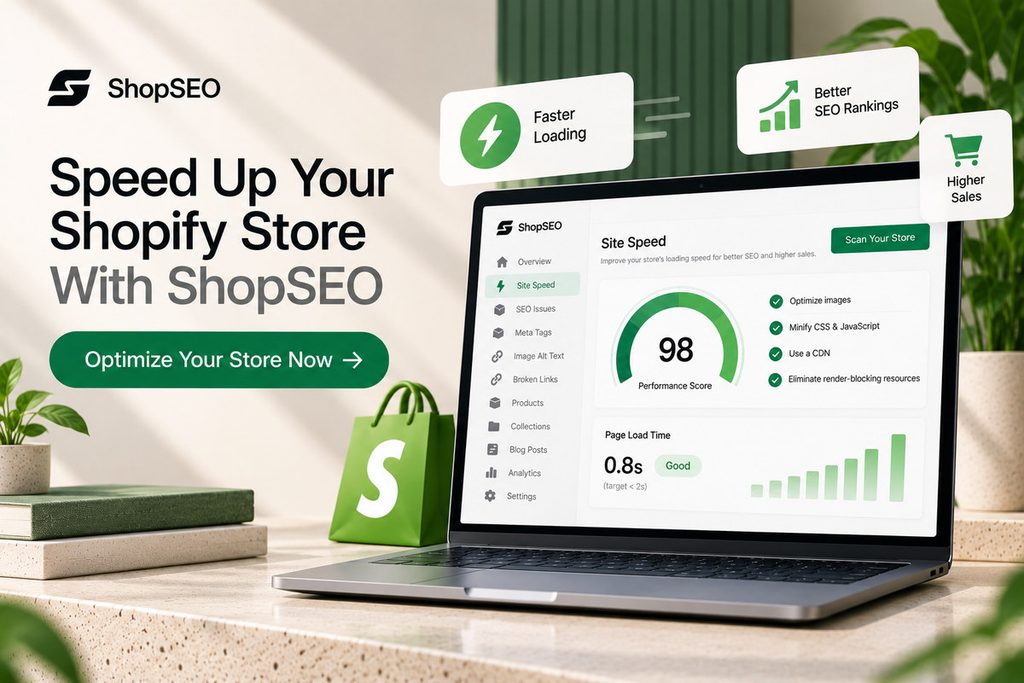
    ShopSEO site speed dashboard showing Shopify performance metrics, image optimization, CSS and JavaScript minification, and a call to optimize store speed.

    Large product images, delayed page elements, and heavy app scripts can make your storefront feel slow. Finding the cause isn’t always straightforward, especially when your theme and several apps affect how pages load.

    ShopSEO brings practical speed checks and fixes into one place, so you can spend less time digging through theme code.

    • Check your store speed: Run Google PageSpeed checks on your homepage and a product page.
    • Optimize product images: Compress images and reduce unnecessary page weight.
    • Load important content sooner: Apply available fixes to prioritize the main image, delay non-essential app scripts, and show text while fonts load.
    • Apply changes with more confidence: ShopSEO backs up your theme before applying speed fixes and provides an undo option for each fix.

    You can review the available fixes before deciding which ones to apply. Results depend on your theme, apps, and current store performance.

    Final Notes

    Following a clear plan to improve shopify site speed seo optimization 2026 makes your store faster for every buyer. When you compress heavy images, defer app scripts, and fix Core Web Vitals safely, both rankings and conversions grow.

    Here is how you can check your store speed and fix technical bottlenecks right now with zero risk:

    • Head over to ShopSEO to run a free, read-only audit and Google PageSpeed check on your store.
    • See the exact millisecond and kilobyte savings available from compressing images, preloading main photos, and deferring app scripts.
    • Apply speed fixes from one simple list with an automatic theme backup and instant one-click undo at any time.

    Give your Shopify store a faster, smoother shopping experience. Explore ShopSEO’s speed optimization features and find out which fixes are available for your store

    FAQs

    1. Does store speed directly affect Google rankings?

    Yes, Google Search Central explicitly states that Core Web Vitals are used by its core search ranking systems. Pages that load quickly, respond fast to taps, and stay visually stable align with Google’s page experience rewards. Furthermore, faster mobile pages reduce bounce rates and help shoppers browse more products during every organic session.

    1. What are the target Core Web Vitals scores?

    Google recommends achieving a Largest Contentful Paint under 2.5 seconds from when the page first starts loading. Your Interaction to Next Paint should stay below 200 milliseconds so buttons feel responsive when shoppers tap them. Finally, your Cumulative Layout Shift score must remain under 0.1 so page elements never jump around unexpectedly.

    1. Why did uninstalling apps not speed up my store?

    When you uninstall a third-party app from your Shopify admin, leftover code often remains inside your theme files. Those orphaned liquid snippets and script tags continue firing on every page load and slow down mobile browsers. Cleaning up leftover app snippets or deferring non-critical scripts is necessary to reclaim that lost loading speed.

    1. Should I lazy load every image on my store?

    No, you should only lazy load images and videos that sit below the visible fold on your pages. Applying lazy loading to your main top hero banner or primary product photo actually slows down initial rendering. Always load your main above-the-fold image first and lazy load the remaining gallery thumbnails further down the page.

    1. Do I need to set up a separate CDN for Shopify?

    No, Shopify automatically includes a built-in global Content Delivery Network that serves your store assets around the world. You do not need to configure .htaccess files or install server compression plugins like you would on self-hosted platforms. Instead, focus on compressing oversized camera photos before or after upload so the CDN serves lightweight image files.

    1. How do web fonts slow down mobile product pages?

    When a theme loads heavy custom fonts without optimization, browsers often hide text until the font file finishes downloading. This causes a flash of invisible text that frustrates mobile shoppers and delays perceived page loading times. Configuring your theme to show fallback text while fonts load saves valuable milliseconds on mobile devices immediately.

    1. Can speed optimizations break my store theme layout?

    Manual code edits to JavaScript and Liquid files can accidentally break sliders, carts, or app widgets if done carelessly. That is why any speed tool you use should back up your theme automatically before making a single change. Being able to apply fixes from a clear list and undo any item with one click keeps you safe.

    1. Which pages should I test for store speed first?

    You should always test both your home page and a core product page using Google PageSpeed Insights. Product and collection pages often load different app scripts and heavier image galleries than your main home page. Fixing speed bottlenecks on product templates directly improves both your organic landing page experience and checkout conversion rates.
  • Mastering Shopify SEO Best Practices 2026 for Online Sales

    Mastering Shopify SEO Best Practices 2026 for Online Sales

    Following proven shopify best practices in 2026 helps your online store attract ready buyers from organic search results daily. Shopify’s October 2026 ecommerce SEO guide reports that orders arriving at Shopify stores from AI search are up 13 times year over year, highlighting the growing importance of online visibility.

    Most merchants lose valuable traffic because small technical errors quietly pile up across hundreds of product pages over time.

    Here are the core focus areas that will help your catalog rank higher across search engines and AI answers:

    • Quick Summary for Busy Merchants:
      • Verify Core Indexing First: Connect your store domain to Google Search Console and submit your automated XML sitemap file immediately after launching.
      • Fix Empty Collection Pages: Add helpful category descriptions and clean headings to every collection page so search engines understand your product groupings.
      • Eliminate Duplicate Metadata: Replace repeated descriptions and raw SKU titles across product variants with unique, readable titles and clear meta descriptions.
      • Clean Up Conflicting Schema: Ensure your theme and installed apps do not output conflicting structured data that causes Google to ignore both.
      • Protect Real User Speed: Compress oversized camera photos, defer heavy scripts, and keep your Core Web Vitals passing on mobile devices daily.

    How Built-In Store Features Support Modern Search Rankings?

    Shopify handles several foundational technical tasks automatically right out of the box when you open your online retail store. Understanding what the platform already manages prevents you from installing redundant tools that slow down your storefront code.

    Here is how default platform features compare against the manual optimization tasks you still need to manage yourself:

    SEO ComponentWhat Shopify Handles AutomaticallyWhat You Must Optimize Manually
    XML Sitemap FilesAutomatically generates sitemap.xml listing your products, collections, blog posts, and static marketing pages.Submit your sitemap link inside Google Search Console and check weekly for unexpected indexing errors.
    Robots.txt RulesCreates a default robots.txt file that blocks search crawlers from indexing checkout and admin pages.Audit custom robots.txt.liquid edits only if internal faceted filters create thousands of low-value URLs.
    Canonical URL TagsAdds self-referencing canonical tags to prevent basic duplicate content issues across standard store pages.Ensure internal product links point directly to clean /products/ URLs rather than nested collection paths.
    SSL Security CertificatesActivates free HTTPS encryption across your entire custom domain to protect shopper data and rankings.Check that old HTTP links or external images do not trigger mixed content security warnings.
    Page Title TemplatesAppends your brand name to page titles automatically using your default theme liquid layout files.Rewrite raw product titles and custom meta tags so every listing targets real buyer searches.

    Fixing Store Structure and Collection Pages for High Reach

    A clean website hierarchy helps search engine crawlers and human shoppers find your best products in three simple clicks. When your pages connect logically from home to collections to products, search authority flows smoothly across your catalog.

    Here are the three structural improvements that deliver the fastest organic ranking gains for growing online stores today:

    1. Optimizing Collection Pages for Category Terms

    Collection pages help shoppers browse related products when they’re not looking for one specific item. Google’s January 2026 update revealed that its Shopping Graph contains over 50 billion product listings, with more than 2 billion refreshed every hour.

    With so many products available for discovery, clear collection titles, helpful descriptions, and relevant subheadings help explain what your category offers. Instead of relying on a bare product grid, give shoppers useful information that helps them compare options and choose the right products. 

    1. Resolving Duplicate Variant URLs With Canonicals

    Many online catalogs accidentally create duplicate content when color or size variants generate separate parameterized URLs across collections. While Shopify adds default canonical tags, internal theme links often point to long collection-based product URLs by mistake. Updating your theme templates so product cards link directly to the canonical product URL consolidates your ranking power.

    1. Repairing Broken Internal Links Across Catalogs

    Discontinuing seasonal items or changing URL handles often leaves dead 404 links scattered across your blog and collections. When shoppers or search bots hit dead links, you lose both immediate sales and valuable internal page authority. Scanning your entire catalog regularly lets you replace broken internal links or apply clean 301 redirects right away.

    Want to see every broken link and thin collection page across your catalog right now?

    Run a free, read-only store scan at ShopSEO to get a scored list of every URL you own with plain-English instructions on how to fix each issue.

    Writing Product Titles and Meta Tags That Win More Buyers

    Every product, collection, and blog post needs clear metadata that tells search engines and shoppers what you offer. Stores that leave SKU codes as titles or duplicate descriptions across variants lose clicks to clearer competitors daily.

    Here is how you can structure every on-page element to maximize both search relevance and organic click-through rates:

    • Page Title Tags (Meta Titles):
      • Keep Titles Under Sixty Characters: Search engines truncate long titles, so place your main product keyword and primary benefit near the front.
      • Replace Internal SKU Codes Immediately: Never publish warehouse item numbers as public titles because real shoppers search for descriptive product names instead.
      • Match One Primary Intent Per Page: Use commercial category phrases on collection pages and specific buyer keywords on individual product listings.
    • Meta Descriptions That Earn Clicks:
      • Write Unique Copy for Every URL: Avoid letting your store copy the same generic sentence across four thousand product variants by mistake.
      • Include Clear Buyer Benefits: Mention core material details, fast shipping policies, or specific product uses within one hundred fifty-five characters.
      • Use Templates for Large Catalogs: Set up dynamic metadata rules so newly saved products automatically get clean titles and descriptions without manual typing.
    • Unique Product Body Copy:
      • Rewrite Manufacturer Descriptions: Copying supplier descriptions puts your store in direct duplicate content competition against dozens of other retailers. Shopify’s 2026 product content guide cites Salsify research showing that 53% of shoppers abandoned a purchase because product descriptions or titles were incomplete or poorly written. Hence, rewrite each description with accurate product details, practical benefits, and information that helps customers choose. 
      • Answer Practical Buyer Questions: Include exact sizing specs, care instructions, and material facts so buyers feel confident completing their purchase.
    • Descriptive Image Alt Text:
      • Remove Generic File Labels: Alt text that simply says “image” or IMG_4029.jpg wastes valuable Google Image Search traffic and hurts accessibility.
      • Describe the Product Clearly: Write plain descriptions including the product name, color, and type to pass both accessibility and ranking checks.

    Using Clean Structured Data and Schema for AI Search Views

    Modern search engines and AI shopping assistants rely on structured data markup to read your prices and stock. When your store outputs clean schema alongside clear answers, your products earn rich snippets and AI citations faster.

    Here is what you need to configure to satisfy traditional search crawlers, answer engines, and generative AI platforms:

    Optimization PillarCore Technical RequirementCommon Shopify Mistake to AvoidDirect Impact on Search & AI Visibility
    Product Schema MarkupOutput valid JSON-LD showing price, currency, stock availability, SKU, and verified customer review ratings.Letting your theme and an SEO app output conflicting Product schema twice on the same page.Unlocks rich product snippets in Google Search and feeds accurate live pricing into AI shopping overviews.
    BreadcrumbList SchemaMark up the category path from your home page to the collection and final product listing.Omitting breadcrumb markup on product templates, which leaves bare URLs in search results.Displays a clean clickable category trail above your title tag and clarifies catalog hierarchy for bots.
    Organization SchemaDefine your official store name, brand logo, customer support contact details, and verified social profiles.Leaving brand identity fields incomplete across your theme settings and structured data blocks.Builds entity trust so generative AI engines recognize and cite your store as a verified merchant.
    Conversational FAQ BlocksAnswer common buyer questions about sizing, materials, and shipping using natural, direct sentences on key pages.Burying vital product specifications inside long walls of unformatted text or image graphics.Captures voice search queries, People Also Ask boxes, and direct citations inside AI answer engines.

    If you want to prevent schema conflicts without editing theme code manually, you can explore the ShopSEO Features page to see how Product, Breadcrumb, and Organization markup can be switched on cleanly one type at a time.

    Keeping Store Speed and Core Web Vitals Healthy All Year

    Google uses real-world Core Web Vitals data from Chrome users as an official ranking signal for every website. A fast storefront keeps impatient mobile shoppers from bouncing back to search results before your products even appear.

    Here are the three official Google performance metrics you must keep in the green zone across your store:

    1. Lowering Largest Contentful Paint Under Target

    Largest Contentful Paint measures how quickly the main banner or product photo loads on a shopper’s screen. Google Search Central recommends keeping this loading time under 2.5 seconds for a healthy user page experience. Compressing multi-megabyte camera photos and loading your main product image first helps your pages pass this check easily.

    1. Reducing Interaction Delay From Heavy App Code

    Interaction to Next Paint measures how fast your page responds when a shopper taps a menu or button. To maintain a good user experience, your store must keep this response delay under 200 milliseconds consistently. Deferring non-essential app scripts until after the main page loads stops heavy JavaScript from freezing mobile screens.

    1. Stopping Layout Shifts With Fixed Media Sizes

    Cumulative Layout Shift tracks whether buttons or text jump around unexpectedly while images and fonts finish downloading. Your pages should maintain a visual stability score below 0.1 so shoppers never tap the wrong button. Setting explicit width and height attributes on images and displaying text while fonts load prevents jarring shifts.

    Auditing Your Entire Catalog Continuously Without Guesswork

    Treating search optimization as a one-time setup fails because online stores change constantly as new inventory arrives. Every time you add products, edit collections, or update your theme, new metadata gaps or broken links appear.

    Here is a practical four-step workflow to keep every URL in your store optimized without spending hours in spreadsheets:

    • Step 1: Run a Full Read-Only Store Audit First:
      • Scan your products, collections, blog posts, standard pages, and images together so no hidden page type gets missed.
      • Ensure your auditing process is strictly read-only so checking your store never alters your live theme code unexpectedly.
      • You can check how continuous scoring works on the ShopSEO Store Audit page before changing a single setting.
    • Step 2: Sort Issues by Severity and Page Type:
      • Group findings into clear categories like missing metadata, dead 404 links, oversized images, and duplicate schema blocks.
      • Fix your worst-scoring revenue pages and top collection hubs first to generate the fastest organic traffic lift.
    • Step 3: Apply Written Fixes in Bulk or One by One:
      • Follow plain-English recommendations that explain exactly what to change instead of cryptic technical error codes.
      • Use bulk templates to update missing meta titles, descriptions, and image alt text across hundreds of items at once.
    • Step 4: Automate Rules for Every New Product You Save:
      • Set up autopilot templates so every new product and photo gets clean metadata and alt text upon creation.
      • Let continuous background checks alert you immediately if a theme update or deleted product breaks a link.

    Find and Fix Shopify SEO Issues With ShopSEO

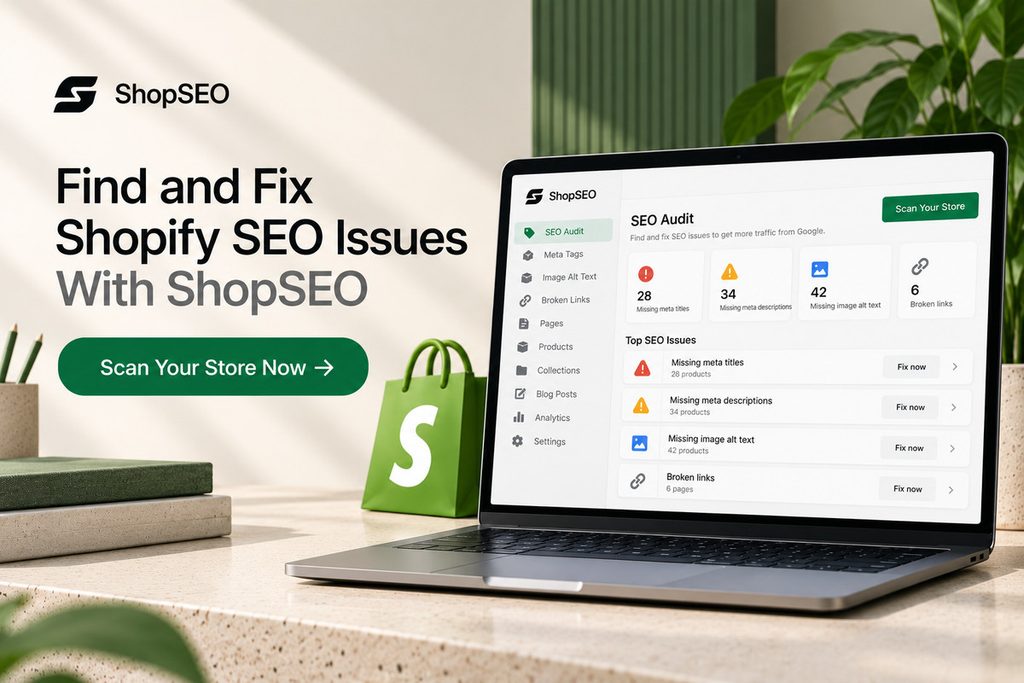
    ShopSEO SEO audit dashboard highlighting missing Shopify meta titles, meta descriptions, image alt text, and broken links, with a call to scan the store.

    Keeping a Shopify store optimized takes more than updating product titles. Missing meta descriptions, broken links, duplicate schema, and oversized images can go unnoticed as your catalog grows.

    ShopSEO helps you find these issues and work through the fixes in one place.

    • Audit your store: Check products, collections, pages, blog posts, and images.
    • Fix missing metadata: Edit meta titles, descriptions, and alt text individually or in bulk.
    • Find broken links: Identify dead internal links and see where they appear.
    • Check structured data: Find missing or conflicting schema markup.
    • Improve images: Use image optimization and manage missing alt text.

    The full store audit is available on ShopSEO’s free plan, with no credit card required. The audit is read-only, so nothing changes until you choose to apply a fix.

    Final Notes

    Applying these shopify best practices in 2026 gives your store a clean, fast foundation that search engines reward. You do not need to fix four thousand catalog issues by hand when automated auditing can spot them first.

    Here is how you can start improving your organic visibility today without risking your live storefront:

    • Visit ShopSEO to run a complete, read-only audit across your products, collections, blog posts, and images.
    • Review your scored URL list and see plain-English instructions for every missing meta tag, broken link, or slow image.
    • Apply fixes one page at a time or across your whole store with automatic theme backups and rollback protection.

    Start by finding out what’s holding your store’s SEO back. Run a free Shopify SEO audit with ShopSEO and get a clearer picture of what needs attention.

    FAQs

    1. Does Shopify handle SEO automatically for stores?

    Shopify automates foundational items like creating your XML sitemap, generating default canonical tags, and securing pages with SSL. You still need to write unique metadata, optimize collection copy, compress images, and fix broken internal links manually. Without your input, default product variants and empty category pages will struggle to outrank established competitors.

    1. Why are my collection pages not ranking well?

    Most collection pages fail to rank because they only display a grid of products without any descriptive text. Search engines need clear headings and helpful category copy to understand how your products relate to buyer searches. Adding unique introductory text and internal links turns thin collections into strong category hubs that attract traffic.

    1. How do I fix duplicate content on product pages?

    Duplicate content usually happens when product variants generate multiple URLs or when stores copy manufacturer descriptions verbatim. You should ensure internal collection links point directly to the main canonical product URL without collection path prefixes. Additionally, rewrite product descriptions and variant meta tags so every indexable page offers unique value to shoppers.

    1. Can having two SEO apps hurt my store rankings?

    Yes, running multiple SEO apps or overlapping theme features often causes duplicate structured data markup on your pages. When your theme and an app emit conflicting Product schema at the same time, Google ignores both. Stick to one clean source for structured data and remove leftover code from old uninstalled apps.

    1. What is the best image size for store SEO?

    Photos uploaded straight from a camera at several megabytes slow down mobile page loading and hurt rankings. You should resize product photos to match your theme display dimensions and compress them into lightweight WebP files. Keeping individual product images under a few hundred kilobytes protects your Largest Contentful Paint score on mobile.

    1. How does AI search change Shopify optimization?

    AI search engines and shopping assistants pull answers directly from structured data, clear headings, and conversational FAQs. Stores with accurate Product and Organization schema alongside plain-English product specs get cited far more reliably. Keeping your titles, pricing markup, and stock status clean ensures AI tools recommend your products accurately.

    1. How often should I run a store SEO audit?

    You should audit your store continuously rather than treating optimization as a once-a-year cleanup project. Adding new products, deleting sold-out items, or editing theme templates can introduce missing metadata and broken links overnight. Continuous scanning catches regressions immediately so your organic rankings never slip due to unnoticed catalog errors.

    1. Does auditing my store change my live theme?

    A trustworthy store audit should always be strictly read-only so scanning your catalog never alters your live site. You should be able to review your scores and read every recommendation before deciding which fixes to apply. Always make sure your tool backs up your theme before applying any speed or template updates.

  • Is Shopify Bad for SEO? The Honest Truth for Store Owners

    Is Shopify Bad for SEO? The Honest Truth for Store Owners

    If you’re wondering, is Shopify bad for SEO, the short answer is no. Shopify gives you many of the tools you need to help your store appear on Google, including page titles, meta descriptions, and automatic sitemaps. But simply opening a Shopify store won’t bring customers from search engines overnight.

    Your store still needs helpful product descriptions, easy navigation, fast-loading pages, and a clear site structure. Shopify also has a few limitations that can make SEO harder to manage. The good news is that once you understand these issues, you can fix many of them and use a tool like ShopSEO to make the process easier.

    Is Shopify Bad for SEO or Can Your Online Store Rank Well?

    When browsing through old forum threads, many store owners question whether Shopify is bad for SEO. Google reported in June 2026 that AI Overviews had over 2.5 billion monthly active users, highlighting the growing reach of Google’s search experiences. Shopify stores can also compete for visibility in Google’s search results when their content and SEO are well optimized.

    The platform does SEO for every merchant today, like this:

    Platform FeatureHow Shopify Handles This AreaImpact on Your Store Rankings
    Site SecurityAutomatically provides free security certificates for every single store domain.Builds immediate trust with search engines and protects buyer data.
    Page SpeedUses a fast global network of servers to load product images quickly.Keeps impatient shoppers on your page and satisfies core speed scores.
    Mobile LayoutOffers responsive store themes that adjust smoothly to any phone screen.Meets strict mobile-first indexing rules used by modern search engines.
    Sitemap FilesCreates and updates your main store sitemap file without manual coding.Helps search bots find your new products and collections much faster.
    URL StructureUses fixed folder names for products, pages, and category collection links.Requires clean internal linking habits to keep your catalog organized.
    Meta FieldsLets you edit page titles and descriptions inside every product dashboard.Gives you direct control over how your links look in search results.

    Built-In Features That Prove Is Shopify Bad for SEO Wrong

    Still wondering whether shopify is bad for seo? Take a look at the technical stuff that it automates. The majority of store owners aren’t free of time to manage complex server settings, or to perform manual security updates.

    The following are a few of the ‘out of the box’ features that ensure your web based shop is successful in search engine results from the start.

    1. Automatic Sitemap Generation and Updates

      From the moment you publish your first product page your online store generates a full-fledged XML sitemap file. This is a directory file that’s updated whenever you add a new item or delete an old one. This clear map is scanned by search engine bots on a daily basis and allows your new catalog pages to be indexed without you having to do anything. 

      2. Fast Global Content Delivery Networks

        All stores operate via a quick world wide network backed up by our servers storing your web site files near your customers. The closer to the customer’s location, the faster your photos get delivered the closer to your location.The faster the customers clicks your link in New York or London, the faster your photos are delivered the closer to your location. Quick loading speeds prevent visitors from bouncing off the site and boost quality signals to big search engines on a regular basis. 

        3. Free SSL Security Certificates Included

          Visitors’ data is protected by encrypted connections on every page visit, which is strongly preferred by search engines. As soon as you connect your domain, your store will automatically turn on a secure connection for your whole catalog. Consumers trust and are more likely to click through to your site knowing that your site is secure and trustworthy; they can see you’ve got the secure padlock icon in your browser, which makes you more prominent in search results. 

          4. Mobile Friendly Store Theme Architecture

            Your Shopify store should be easy to browse on a phone, especially since mobile devices accounted for 55.94% of global web traffic in March 2026, according to StatCounter data cited by Shopify. Shopify themes automatically adjust product grids, menus, and buttons to fit smaller screens, helping customers browse your products comfortably without needing a separate mobile website. 

            5. Custom Robots Text File Control

              For a long period of time, online retailers were not allowed to change the file that determines what pages to skip during a search engine crawl. With it, you can make a custom template file that will block low-value pages of internal search results today. This straightforward control guarantees that search engines will keep on your best-selling product and category pages every day. 

              Technical Limits That Make People Ask Is Shopify Bad for SEO

              There are real technical reasons why experienced marketers ask if shopify is bad for seo during deep site audits. Knowing these platform quirks early helps you fix them before they ever slow down your organic store traffic.

              Here are the main technical limits you will face on the platform and why they matter for rankings.

              Duplicate Product Links Inside Collections:

              • When you add a product to a category page, the system creates a long link through that collection.
              • That same item also lives at a shorter direct product link, creating two different addresses for one item.
              • If your theme links to the long address, search engines can get confused about which page to rank.

              Locked Folder Names in Store Links:

              • The platform forces your web addresses to use fixed folder words like collections, products, and pages every time.
              • You cannot remove these folder words to create a completely flat link structure like some other platforms allow.
              • While search engines understand these folders easily, it still frustrates store owners who want total control over links.

              Strict Tag Pages Creating Thin Content:

              • Filtering your category pages with product tags automatically creates brand new web addresses for every single tag combination.
              • If search bots index hundreds of empty tag pages, your overall store quality score can drop quite quickly.
              • You must set proper rules so search engines only read your main category pages and ignore tag filters.

              Basic Built-In Blogging Tools:

              • The native blog editor gives you a simple place to write updates, but it lacks advanced layout blocks.
              • Adding custom product comparison tables or rich interactive boxes inside blog posts requires extra theme edits or tools.
              • Content marketers often need smarter optimization tools to turn basic store articles into high-ranking educational buying guides.

              App Clutter Slowing Down Store Speed:

              • Installing too many third-party store apps adds heavy code scripts to your pages even after you delete them.
              • Leftover script code makes your product pages load slowly, which hurts your core performance scores on mobile phones.
              • Using one clean optimization platform instead of five separate plugins keeps your store code light and very fast.

              How to Overcome Native Platform Limits and Rank Higher Now?

              A computer science background is not a requirement for the problems that people mention to ask if shopify is bad for seo. With a couple of savvy tweaks in your store’s theme settings, you will simplify the structure of your store and make search bots happy.

              This is how to remove all technical barriers in your store without altering your design layout. 

              1. Fix Collection Link Paths in Your Theme: Go to your theme code editor and make sure that product grid links are properly set to the clean root product URL. This single change prevents your store from sending duplicate search bots throughout its whole catalog. 
              2. Use Automated Tools for Meta Data and Structure: Manual creation of unique titles, descriptions and image tags for hundreds of products can be a weeks-long tedious desk job. ShopSEO can be integrated with your store and automate on page optimization and repair missing search tags in mere minutes. 
              3. Block Low-Value Tag Pages from Indexing: Make a simple rule to not index filtered tag links. Thin filter pages won’t appear in the search results and will give your domain authority to the products. 
              4. Compress Product Photos Before Uploading: Huge photos from the studio look great but will make mobile loading slow on every collection. Utilize contemporary lightweight image file formats and captions with your product pictures as a way to be found by visual searchers. 
              5. Audit Your Installed Apps Every Quarter: Review your store dashboard and remove any additional tools that you don’t use every day every quarter. Have your developer remove any leftover script tags from previous applications to ensure everything is super fast on your web pages. 

              How Shopify Compares to Other Platforms for Organic Growth?

              Store owners researching is shopify bad for seo usually want to see how it stacks up against alternatives. Every e-commerce system trades off total coding freedom for daily ease of use and reliable server security.

              Here is an honest comparison showing how the leading online store platforms handle your daily search optimization needs.

              Search FeatureShopify PlatformSelf-Hosted WooCommerceBigCommerce System
              Ease of SetupVery easy for beginners with zero server setup required.Requires manual hosting setup, security plugins, and regular maintenance.Easy hosted setup with slightly steeper dashboard learning curves.
              Link FlexibilityUses fixed folder names for products and store collections.Offers complete freedom to customize every single folder path.Allows flatter link structures through built-in dashboard settings.
              Server SpeedIncludes fast global servers and automatic caching out of box.Depends completely on the quality of your paid web host.Provides fast cloud hosting across all standard merchant plans.
              Security UpdatesHandled automatically in the background without any user action.Store owners must update core files and plugins every week.Managed automatically by the platform security engineering team.
              SEO AutomationScales fast when paired with dedicated tools like ShopSEO.Relies on heavy plugins that can sometimes conflict with themes.Includes solid native fields but fewer specialized optimization apps.

              Ready to grow your store traffic without the technical headache? Visit ShopSEO today to optimize your product pages, fix hidden metadata errors, and outrank your biggest competitors with ease.

              Essential Checklist to Optimize Your Shopify Store Today

              Want more people to find your Shopify store on Google? Start with these simple steps. Focus on making your store easy to navigate, your product pages useful, and your website easy to use.

              1. Organize Your Store Menu

              Make it easy for shoppers to find products in just a few clicks.

              • Add your main collections to the top navigation menu.
              • Group similar products under relevant categories.
              • Link important products and collections from related pages.
              • Keep your menu simple so shoppers can find what they need quickly.

              2. Write Unique Product Descriptions

              Avoid copying product descriptions directly from manufacturers or other stores.

              • Explain what makes each product useful.
              • Highlight its main features and benefits.
              • Answer common questions shoppers may have.
              • Use natural words that customers might search for on Google.

              3. Make Your Collection Pages More Helpful

              Don’t leave collection pages with only product images and prices. Add useful information to help shoppers choose the right products.

              • Write a short introduction explaining what the collection offers.
              • Share tips for choosing between different products.
              • Answer common questions about the products in that category.
              • Keep the information relevant and useful rather than adding text just for SEO.

              4. Link Your Blog Posts to Relevant Products

              Help readers move from your blog posts to products they may want to buy.

              • Link to products when they are relevant to the topic.
              • Connect related blog posts and collection pages.
              • Use descriptive link text so readers know what they’ll find.
              • Use ShopSEO to help manage your store’s SEO and identify areas that need improvement.

              These small improvements can make your Shopify store easier to navigate and help shoppers find the products they’re looking for.

              Make Shopify SEO Easier With ShopSEO 

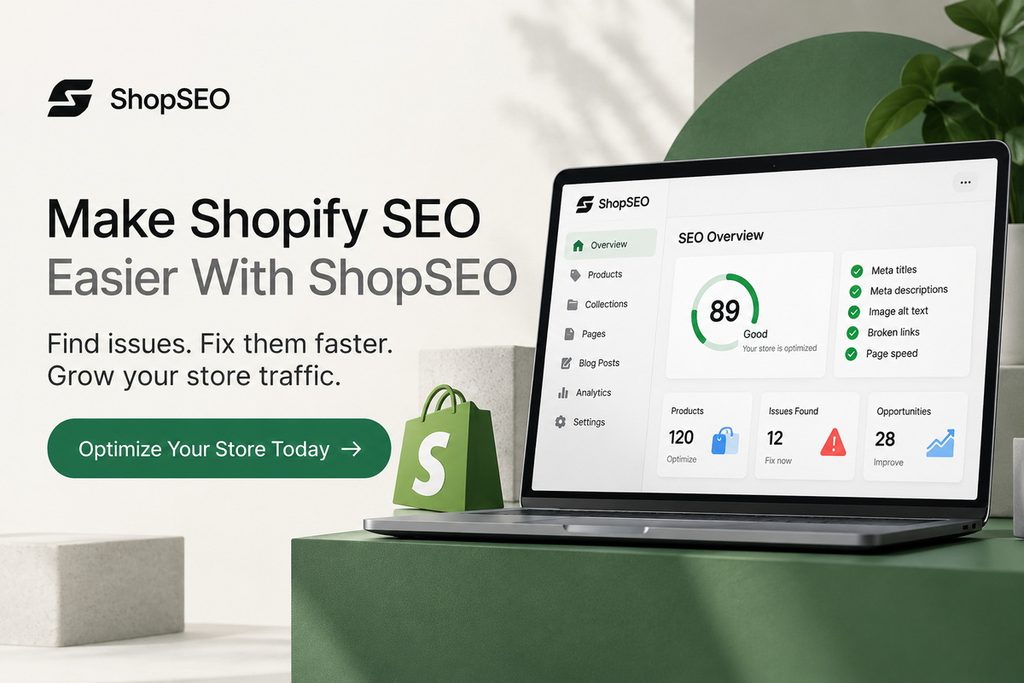
              ShopSEO dashboard showing Shopify SEO checks for meta titles, descriptions, image alt text, broken links, and page speed, with a call to optimize your store.

              Finding and fixing SEO issues across your Shopify store can take time, especially when you manage hundreds of products. ShopSEO helps you identify issues and simplify your optimization work so you can focus on improving your store’s search visibility.

              • Find missing or incomplete SEO details.
              • Improve product images and alt text.
              • Identify broken links and other website issues.
              • Manage important SEO improvements from one place.

              Ready to give your store’s SEO a boost? Explore ShopSEO and find out how it can help you improve your Shopify store.

              Final Notes

              Shopify isn’t bad for SEO. It gives you the basic tools to build a search-friendly store, but you still need useful product descriptions, clear navigation, relevant internal links, and pages that load well.

              Start with the improvements that matter most to your customers. Review your product pages, make collection pages more helpful, and check your store regularly for SEO issues. You don’t have to fix everything at once.

              Interested in identifying what’s preventing your Shopify store from showing up in search? 

              Audit your store, fix metadata, images, structured data and internal links issues, and troubleshoot fixes in a single place with ShopSEO

              FAQs

              1. Do fixed folder names in Shopify links hurt my Google rankings?

                Search engines confirmed that having words like products or collections in your links does not hurt search rankings. Google cares about helpful page content and clear site structure rather than removing folder words from your links.

                2. How do I fix duplicate product links caused by Shopify collections?

                  You can fix duplicate collection links by editing your theme code to point directly to root product addresses. Even without this edit, your store automatically adds canonical tags that tell search engines which main link counts.

                  3. Can a Shopify blog rank as well as a WordPress blog?

                    Your built-in store blog can rank just as high as any other platform when you write helpful guides. Success comes from answering real buyer questions and linking your articles directly to your top store category pages.

                    4. Does installing too many Shopify apps ruin my search engine rankings?

                      Installing too many store apps adds extra script files that slow down your page loading speeds on phones. Since page speed affects search rankings, you should only keep essential tools like ShopSEO on your active store.

                      5. Can I edit the robots text file on a standard Shopify plan?

                        Every merchant can now edit their robots text file by creating a custom liquid file inside their theme. This official feature lets you block search bots from crawling low-value tag filters and internal search result pages.

                        6. Why are my new Shopify products not showing up on Google yet?

                          New stores often fail to show up because the owner forgot to remove the default storefront protection password. Once you disable the password and submit your sitemap in Google Search Console, bots will index your pages.

                          7. How does Shopify handle broken links when I delete old products?

                            Whenever you change a page address inside your dashboard, a checkbox appears to create an automatic URL redirect. Checking this box sends shoppers and search bots smoothly from the old broken link to your new page.

                            8. Do I need to hire a developer to optimize my Shopify store?

                              You do not need an expensive developer because most daily optimization tasks happen right inside your store dashboard. Using a dedicated platform like ShopSEO lets you manage meta tags, titles, and keywords without touching complex code.

                            1. How Shopify Store Owners Can Customize Meta Tags for Google 

                              How Shopify Store Owners Can Customize Meta Tags for Google 

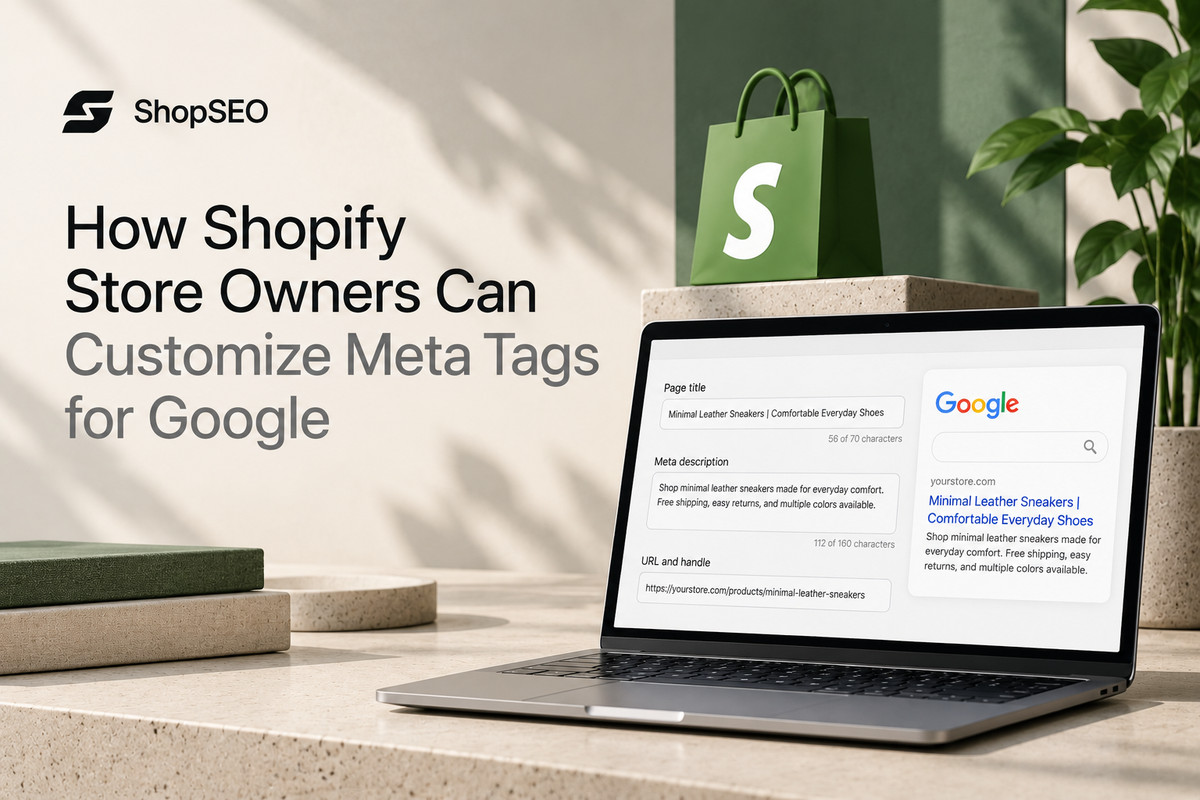
                              Good meta tags help shoppers understand what your Shopify store offers before they click through from Google. Following Shopify custom meta tags best practices SEO can help you write clearer page titles and descriptions that make your listings more appealing. However, many merchants leave these fields blank or rely on default text that misses important product details. Learning how to customize search listings and add advanced meta tags helps you manage your store’s SEO more effectively.

                              Why Shopify Custom Meta Tags Best Practices SEO Matters Now?

                              Good meta tags help your Shopify store stand out in search results and give shoppers a reason to click. Google explains that the title link is often the main piece of information people use to decide which search result to visit.

                              Applying Shopify SEO best practices for meta titles and descriptions helps you write clearer search listings that explain what each page offers. Google may still adjust the title or description shown based on the search query. 

                              Here is a breakdown of the main meta tags your store uses and how each one drives growth.

                              Meta Tag TypeWhere It Shows Up OnlineHow It Helps Your Online Store
                              Title TagAppears as the large blue clickable headline in search results.Tells search bots and shoppers exactly what your page sells.
                              Meta DescriptionShows up as the two lines of summary text below headlines.Convinces searchers to click your store link over competitor pages.
                              Robots Meta TagLives quietly inside your page code for search bots to read.Controls whether search engines index a page or ignore it.
                              Social Graph TagsDisplays rich previews when people share links on social apps.Turns plain store links into clickable product cards with photos.
                              Canonical TagSits in your theme header to point toward your main URL.Prevents duplicate content issues across filtered collection and variant pages.

                              Best Practices for Custom Shopify Meta Tags 

                              Small details matter when optimizing Shopify meta titles and descriptions. Keep titles clear, relevant, and easy to understand, and write descriptions that explain what each page offers. Google may shorten or rewrite your search listings depending on the search query, so treat character counts as useful guidelines rather than strict rules. 

                              Here are the golden rules you must follow so search engines never rewrite or cut off your tags.

                              1. Keep Your Title Tags Between Fifty and Sixty Characters

                                Search engines typically cut off page titles that run past sixty characters on both desktop and phone screens. Place your primary product or category keyword near the very beginning of the title so shoppers see it. Add your store brand name at the end only if you have enough character space left to spare.

                                2. Keep Meta Descriptions Around 150–160 Characters

                                  Your meta description gives shoppers a quick reason to visit your store from search results. Shopify’s September 2026 guide recommends using about 160 characters for a meta description, although Google may shorten or rewrite it depending on the search query and device. Put your main benefit first and mention offers like free shipping or fast delivery only when they genuinely apply to your store.

                                  3. Give Every Single Store Page a Unique Tag Pair

                                    Never repeat the exact same title tag or meta description across multiple product pages or collection folders today. When two pages share identical meta tags, search bots struggle to know which page deserves to rank higher. Make sure every item in your catalog highlights its specific color, material, size, or unique buyer use case.

                                    4. Match Your Tags to What the Shopper Actually Wants

                                      Look at the top search results for your target keyword before you write a single word of metadata. If shoppers searching a phrase want a wide selection, point that phrase to a collection page instead. Matching your meta tag tone to buyer expectations lowers your bounce rate and builds strong search engine trust.

                                      How to Edit Standard Meta Tags Across Your Shopify Store?

                                      You can update your Shopify meta titles and descriptions directly from your store dashboard. These SEO settings let you customize how your homepage, product pages, collections, and blog posts may appear in Google search results, helping shoppers understand what each page offers before they click.

                                      Here are the exact steps to locate and update your standard search tags across every part of your store.

                                      1. Update Your Store Homepage Title and Description: Open your main store admin sidebar, click on the Online Store menu, and select the Preferences tab directly. Enter your main brand title and store summary in the top fields, then click the save button cleanly.
                                      2. Customize Individual Product Search Listings: Open any item inside your Products tab and scroll all the way down to the search engine listing preview. Click the edit button to replace the default product name and body text with custom, click-worthy search copy.
                                      3. Optimize Your Product Collection Pages: Navigate to the Collections section under your Products menu and open one of your main store category pages. Scroll down to the search listing box and write a clear title and description covering that whole category.
                                      4. Edit Meta Tags on Blog Posts and Info Pages: Open your blog posts or standard informational pages from the Online Store menu inside your main dashboard screen. Scroll to the bottom search preview box to customize how your helpful buying guides appear on Google daily.

                                      Using Shopify Metafields for Advanced SEO Controls

                                      Shopify metafields let you store extra information about products and other store content, but creating a metafield doesn’t automatically add a custom meta tag to your page.

                                      In February 2026, Shopify expanded metafield reporting across four resource types: products, variants, customers, and orders. For SEO, custom fields can support specific tasks when connected to the right theme or app, such as controlling search visibility or displaying additional product information.

                                      Here are the safest ways to add advanced custom meta tags to your store without breaking your theme code.

                                      Create Custom Metafield Definitions for Page Rules:

                                      • Go to your store Settings menu, select Custom Data, and add a new metafield definition for your products.
                                      • Name your field clearly, such as a number integer field called seo hidden, to control search engine indexing.
                                      • When you set that field to the number one on a product, the platform hides it from search bots.

                                      Add Domain Verification Meta Tags in Theme Liquid:

                                      • Search tools like Google Search Console and Pinterest often ask you to paste a custom verification meta tag.
                                      • Open your theme code editor, click on the main theme.liquid file, and find the opening head tag section.
                                      • Paste your verification tag right on a new line below the opening head tag and save your work.

                                      Control Robots Directives Without Breaking Core Code:

                                      • Instead of installing five different plugins to hide out-of-stock or wholesale items, use conditional liquid rules in headers.
                                      • Your theme checks if a specific page template or custom metafield exists before printing a noindex meta tag.
                                      • This clean approach keeps your theme code fast and stops private promotional pages from leaking into public search.

                                      Scale Custom Tag Management Across Hundreds of Products:

                                      • Updating custom fields and search previews one by one takes way too much time for growing online catalogs.
                                      • Smart merchants use ShopSEO to manage, audit, and update custom meta tags across their whole store at once.
                                      • Automating your routine tag updates frees up your week so you can focus on sourcing great new products.

                                      Tired of typing meta titles and descriptions by hand for hundreds of products? Try ShopSEO to generate optimized, high-converting meta tags across your entire Shopify catalog in just a few clicks.

                                      Proven Formulas for High Converting Product and Category Tags

                                      Using repeatable templates makes shopify custom meta tags best practices SEO much easier to manage as your inventory grows. A solid formula ensures your primary keyword, main buyer benefit, and call to action fit inside character limits.

                                      Here are proven meta tag templates you can adapt for every major page type on your online store.

                                      Store Page TypeTitle Tag Formula (50–60 Characters)Meta Description Formula (150–155 Characters)
                                      Product Page[Product Name] – [Key Material/Feature] | [Brand]Shop the [Product Name] made with [Key Feature]. Designed for [Target Use]. Order today for fast shipping and easy returns at [Brand].
                                      Collection PageShop [Category Keyword] – [Style/Type] | [Brand]Explore our curated collection of [Category Keyword]. Find durable, high-quality [Sub-items] built for daily comfort. Browse all styles now.
                                      Store Homepage[Brand Name] – [Primary Store Category & Value]Welcome to [Brand Name], your trusted online shop for [Main Products]. Discover top-rated gear, fair prices, and fast delivery on every order.
                                      Blog Guide Page[Primary Topic Keyword]: [Clear Benefit or Tip]Learn everything about [Primary Topic Keyword] in our simple step-by-step guide. Discover practical tips to choose the right gear for your needs.
                                      Sale Event Page[Season/Event] Sale on [Category] | [Brand Name]Save big during our [Season] sale on top [Category] items. Grab limited-time deals on customer favorites before stock runs out this week.

                                      Common Mistakes That Ruin Your Store Meta Tag Performance

                                      Even when merchants know shopify custom meta tags best practices, small oversights can still hold back their rankings. Auditing your store for these common metadata mistakes will quickly improve how search engines display your pages online.

                                      Here are the most frequent meta tag errors found on online stores and how you can avoid them.

                                      1. Leaving Search Listing Boxes Completely Blank

                                      When you leave the search listing box empty, the platform automatically pulls the first lines of your page text. Product specifications or shipping bullet points rarely make a compelling summary when shoppers scan search engine results pages. Always write a dedicated two-sentence summary in the search preview box for your top selling items and collections.

                                      1. Stuffing Too Many Keywords Into One Title

                                      Repeating your main keyword three times inside a single title tag looks spammy to both shoppers and Google. Search engines prefer natural, readable headlines that clearly describe the item without sounding like a broken robot list. Use your primary keyword once near the start of your title and use the remaining space for benefits.

                                      1. Ignoring Duplicate Tags on Paginated Collection Pages

                                      When a large category spans across multiple pages, page two and page three often share the exact same title. While canonical tags help manage this, adding page numbers via your theme template keeps every title completely distinct. Clean pagination tags help search bots crawl deep into your product catalog without flagging duplicate metadata warnings.

                                      1. Pasting Unclosed Tags Inside Your Theme Header

                                      If you manually add custom meta tags inside your theme.liquid file, one missing bracket can break your header. Broken HTML code inside your header section can stop search bots from reading your title and canonical tags. Rather than risking manual coding mistakes, use ShopSEO to keep all your store metadata clean, valid, and safe.

                                      Fix Shopify Meta Tag Issues Faster With ShopSEO

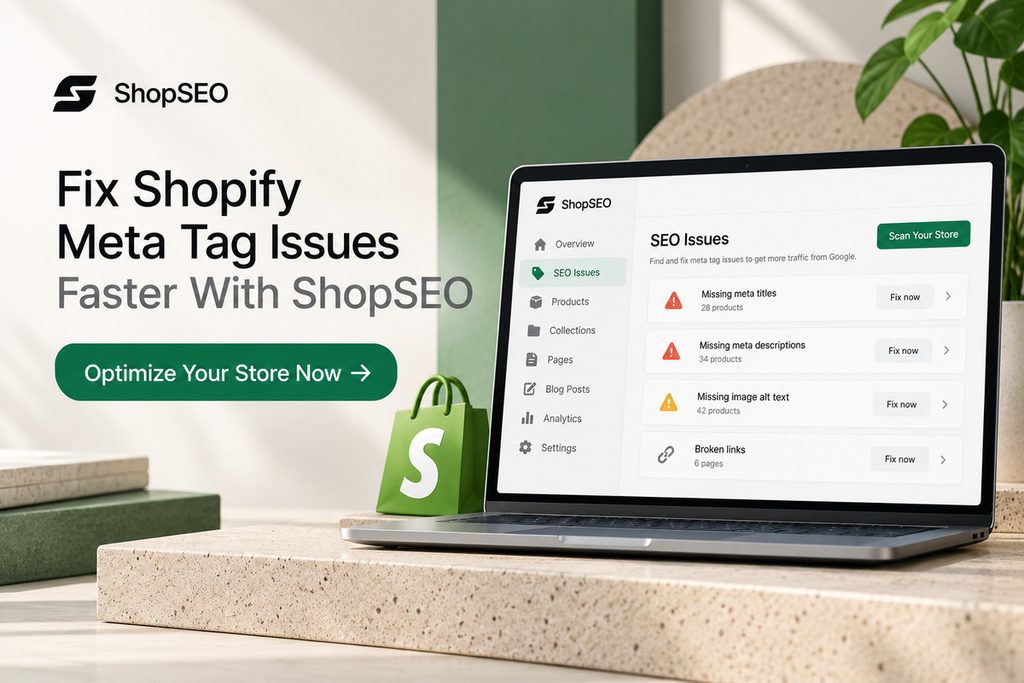
                                      ShopSEO dashboard highlighting missing Shopify meta titles, meta descriptions, image alt text, and broken links, with an option to optimize the store.

                                      Managing meta titles and descriptions across hundreds of products can become tedious. ShopSEO helps you find missing metadata, identify duplicate titles and descriptions, and update your store’s SEO details without handling every page manually.

                                      • Find SEO issues: Audit your products, collections, pages, and blog posts to see what needs attention.
                                      • Update metadata in bulk: Edit meta titles and descriptions across multiple records instead of changing them one by one.
                                      • Use AI when needed: Generate metadata with AI credits and review the results before applying changes.
                                      • Keep track of problems: Get clear recommendations for fixing issues rather than just a list of errors.

                                      Ready to improve your Shopify store’s metadata? Try ShopSEO for free to audit your store, find gaps, and start fixing the issues that matter.

                                      Final Notes

                                      Well-written meta titles and descriptions help shoppers understand what your Shopify pages offer before they click. Keep them unique, relevant, and easy to read. Review your product pages, collections, and blog posts regularly to catch missing details and outdated information. Remember, strong metadata can improve how your pages appear in search results, but it doesn’t guarantee higher rankings.

                                      Managing these details across a growing catalog doesn’t have to mean editing every page manually. ShopSEO helps you audit your store, find missing metadata, and update titles and descriptions individually or in bulk.

                                      Spend less time chasing SEO issues and more time running your store. Explore ShopSEO and see how you can simplify your store’s SEO work.

                                      FAQs

                                      1. Why is Google showing a different meta description than the one I wrote?

                                        Search engines sometimes rewrite your meta description if your custom text does not match the shopper’s search query. Writing clear descriptions that naturally include your main page keywords stops Google from pulling random text from pages.

                                        2. How do I hide a specific Shopify product from Google search results?

                                          You can hide a product from search engines by creating an integer metafield named seo.hidden set to one. This built-in platform feature automatically adds a noindex meta tag and removes that item from your XML sitemap.

                                          3. Where are meta tags located inside the Shopify theme code files?

                                            Your store meta tags live inside the head section of the main theme.liquid file inside your code editor. The system uses special liquid variables like page_title and page_description to pull your dashboard text into code automatically.

                                            4. Does changing my meta title change the main heading on my product page?

                                              Editing the search engine listing title at the bottom of a product page only changes your search result headline. Your visible on-page product title stays the exact same for shoppers browsing inside your online store catalog.

                                              5. Can I use emojis inside my Shopify meta titles and descriptions?

                                                You can paste relevant emojis into your search listing fields, and search engines will display them when they fit. However, only use one clean symbol per snippet because overusing emojis can make your store look less trustworthy.

                                                6. How long does it take for Google to update my new Shopify meta tags?

                                                  Once you save your new meta tags, search engines usually update your live search snippet within several days. You can speed up this process by requesting a fresh page crawl inside your Google Search Console account.

                                                  7. Do keywords inside my meta description directly boost my search rankings?

                                                    Search engines do not use words inside the meta description tag as a direct ranking signal for your pages. Instead, matching keywords appear in bold text inside search results, which increases your click-through rate from shoppers.

                                                    8. What is the fastest way to fix missing meta tags on a large store?

                                                      Auditing and writing hundreds of missing product meta descriptions by hand can take weeks of valuable business time. Connecting ShopSEO to your store lets you find missing tags and generate optimized metadata across your catalog fast.