If you’re wondering, is Shopify bad for SEO, the short answer is no. Shopify gives you many of the tools you need to help your store appear on Google, including page titles, meta descriptions, and automatic sitemaps. But simply opening a Shopify store won’t bring customers from search engines overnight.
Your store still needs helpful product descriptions, easy navigation, fast-loading pages, and a clear site structure. Shopify also has a few limitations that can make SEO harder to manage. The good news is that once you understand these issues, you can fix many of them and use a tool like ShopSEO to make the process easier.
Is Shopify Bad for SEO or Can Your Online Store Rank Well?
When browsing through old forum threads, many store owners question whether Shopify is bad for SEO. Google reported in June 2026 that AI Overviews had over 2.5 billion monthly active users, highlighting the growing reach of Google’s search experiences. Shopify stores can also compete for visibility in Google’s search results when their content and SEO are well optimized.
The platform does SEO for every merchant today, like this:
| Platform Feature | How Shopify Handles This Area | Impact on Your Store Rankings |
| Site Security | Automatically provides free security certificates for every single store domain. | Builds immediate trust with search engines and protects buyer data. |
| Page Speed | Uses a fast global network of servers to load product images quickly. | Keeps impatient shoppers on your page and satisfies core speed scores. |
| Mobile Layout | Offers responsive store themes that adjust smoothly to any phone screen. | Meets strict mobile-first indexing rules used by modern search engines. |
| Sitemap Files | Creates and updates your main store sitemap file without manual coding. | Helps search bots find your new products and collections much faster. |
| URL Structure | Uses fixed folder names for products, pages, and category collection links. | Requires clean internal linking habits to keep your catalog organized. |
| Meta Fields | Lets you edit page titles and descriptions inside every product dashboard. | Gives you direct control over how your links look in search results. |
Built-In Features That Prove Is Shopify Bad for SEO Wrong
Still wondering whether shopify is bad for seo? Take a look at the technical stuff that it automates. The majority of store owners aren’t free of time to manage complex server settings, or to perform manual security updates.
The following are a few of the ‘out of the box’ features that ensure your web based shop is successful in search engine results from the start.
1. Automatic Sitemap Generation and Updates
From the moment you publish your first product page your online store generates a full-fledged XML sitemap file. This is a directory file that’s updated whenever you add a new item or delete an old one. This clear map is scanned by search engine bots on a daily basis and allows your new catalog pages to be indexed without you having to do anything.
2. Fast Global Content Delivery Networks
All stores operate via a quick world wide network backed up by our servers storing your web site files near your customers. The closer to the customer’s location, the faster your photos get delivered the closer to your location.The faster the customers clicks your link in New York or London, the faster your photos are delivered the closer to your location. Quick loading speeds prevent visitors from bouncing off the site and boost quality signals to big search engines on a regular basis.
3. Free SSL Security Certificates Included
Visitors’ data is protected by encrypted connections on every page visit, which is strongly preferred by search engines. As soon as you connect your domain, your store will automatically turn on a secure connection for your whole catalog. Consumers trust and are more likely to click through to your site knowing that your site is secure and trustworthy; they can see you’ve got the secure padlock icon in your browser, which makes you more prominent in search results.
4. Mobile Friendly Store Theme Architecture
Your Shopify store should be easy to browse on a phone, especially since mobile devices accounted for 55.94% of global web traffic in March 2026, according to StatCounter data cited by Shopify. Shopify themes automatically adjust product grids, menus, and buttons to fit smaller screens, helping customers browse your products comfortably without needing a separate mobile website.
5. Custom Robots Text File Control
For a long period of time, online retailers were not allowed to change the file that determines what pages to skip during a search engine crawl. With it, you can make a custom template file that will block low-value pages of internal search results today. This straightforward control guarantees that search engines will keep on your best-selling product and category pages every day.
Technical Limits That Make People Ask Is Shopify Bad for SEO
There are real technical reasons why experienced marketers ask if shopify is bad for seo during deep site audits. Knowing these platform quirks early helps you fix them before they ever slow down your organic store traffic.
Here are the main technical limits you will face on the platform and why they matter for rankings.
Duplicate Product Links Inside Collections:
- When you add a product to a category page, the system creates a long link through that collection.
- That same item also lives at a shorter direct product link, creating two different addresses for one item.
- If your theme links to the long address, search engines can get confused about which page to rank.
Locked Folder Names in Store Links:
- The platform forces your web addresses to use fixed folder words like collections, products, and pages every time.
- You cannot remove these folder words to create a completely flat link structure like some other platforms allow.
- While search engines understand these folders easily, it still frustrates store owners who want total control over links.
Strict Tag Pages Creating Thin Content:
- Filtering your category pages with product tags automatically creates brand new web addresses for every single tag combination.
- If search bots index hundreds of empty tag pages, your overall store quality score can drop quite quickly.
- You must set proper rules so search engines only read your main category pages and ignore tag filters.
Basic Built-In Blogging Tools:
- The native blog editor gives you a simple place to write updates, but it lacks advanced layout blocks.
- Adding custom product comparison tables or rich interactive boxes inside blog posts requires extra theme edits or tools.
- Content marketers often need smarter optimization tools to turn basic store articles into high-ranking educational buying guides.
App Clutter Slowing Down Store Speed:
- Installing too many third-party store apps adds heavy code scripts to your pages even after you delete them.
- Leftover script code makes your product pages load slowly, which hurts your core performance scores on mobile phones.
- Using one clean optimization platform instead of five separate plugins keeps your store code light and very fast.
How to Overcome Native Platform Limits and Rank Higher Now?
A computer science background is not a requirement for the problems that people mention to ask if shopify is bad for seo. With a couple of savvy tweaks in your store’s theme settings, you will simplify the structure of your store and make search bots happy.
This is how to remove all technical barriers in your store without altering your design layout.
- Fix Collection Link Paths in Your Theme: Go to your theme code editor and make sure that product grid links are properly set to the clean root product URL. This single change prevents your store from sending duplicate search bots throughout its whole catalog.
- Use Automated Tools for Meta Data and Structure: Manual creation of unique titles, descriptions and image tags for hundreds of products can be a weeks-long tedious desk job. ShopSEO can be integrated with your store and automate on page optimization and repair missing search tags in mere minutes.
- Block Low-Value Tag Pages from Indexing: Make a simple rule to not index filtered tag links. Thin filter pages won’t appear in the search results and will give your domain authority to the products.
- Compress Product Photos Before Uploading: Huge photos from the studio look great but will make mobile loading slow on every collection. Utilize contemporary lightweight image file formats and captions with your product pictures as a way to be found by visual searchers.
- Audit Your Installed Apps Every Quarter: Review your store dashboard and remove any additional tools that you don’t use every day every quarter. Have your developer remove any leftover script tags from previous applications to ensure everything is super fast on your web pages.
How Shopify Compares to Other Platforms for Organic Growth?
Store owners researching is shopify bad for seo usually want to see how it stacks up against alternatives. Every e-commerce system trades off total coding freedom for daily ease of use and reliable server security.
Here is an honest comparison showing how the leading online store platforms handle your daily search optimization needs.
| Search Feature | Shopify Platform | Self-Hosted WooCommerce | BigCommerce System |
| Ease of Setup | Very easy for beginners with zero server setup required. | Requires manual hosting setup, security plugins, and regular maintenance. | Easy hosted setup with slightly steeper dashboard learning curves. |
| Link Flexibility | Uses fixed folder names for products and store collections. | Offers complete freedom to customize every single folder path. | Allows flatter link structures through built-in dashboard settings. |
| Server Speed | Includes fast global servers and automatic caching out of box. | Depends completely on the quality of your paid web host. | Provides fast cloud hosting across all standard merchant plans. |
| Security Updates | Handled automatically in the background without any user action. | Store owners must update core files and plugins every week. | Managed automatically by the platform security engineering team. |
| SEO Automation | Scales fast when paired with dedicated tools like ShopSEO. | Relies on heavy plugins that can sometimes conflict with themes. | Includes solid native fields but fewer specialized optimization apps. |
Ready to grow your store traffic without the technical headache? Visit ShopSEO today to optimize your product pages, fix hidden metadata errors, and outrank your biggest competitors with ease.
Essential Checklist to Optimize Your Shopify Store Today
Want more people to find your Shopify store on Google? Start with these simple steps. Focus on making your store easy to navigate, your product pages useful, and your website easy to use.
- Organize Your Store Menu
Make it easy for shoppers to find products in just a few clicks.
- Add your main collections to the top navigation menu.
- Group similar products under relevant categories.
- Link important products and collections from related pages.
- Keep your menu simple so shoppers can find what they need quickly.
2. Write Unique Product Descriptions
Avoid copying product descriptions directly from manufacturers or other stores.
- Explain what makes each product useful.
- Highlight its main features and benefits.
- Answer common questions shoppers may have.
- Use natural words that customers might search for on Google.
3. Make Your Collection Pages More Helpful
Don’t leave collection pages with only product images and prices. Add useful information to help shoppers choose the right products.
- Write a short introduction explaining what the collection offers.
- Share tips for choosing between different products.
- Answer common questions about the products in that category.
- Keep the information relevant and useful rather than adding text just for SEO.
4. Link Your Blog Posts to Relevant Products
Help readers move from your blog posts to products they may want to buy.
- Link to products when they are relevant to the topic.
- Connect related blog posts and collection pages.
- Use descriptive link text so readers know what they’ll find.
- Use ShopSEO to help manage your store’s SEO and identify areas that need improvement.
These small improvements can make your Shopify store easier to navigate and help shoppers find the products they’re looking for.
Make Shopify SEO Easier With ShopSEO
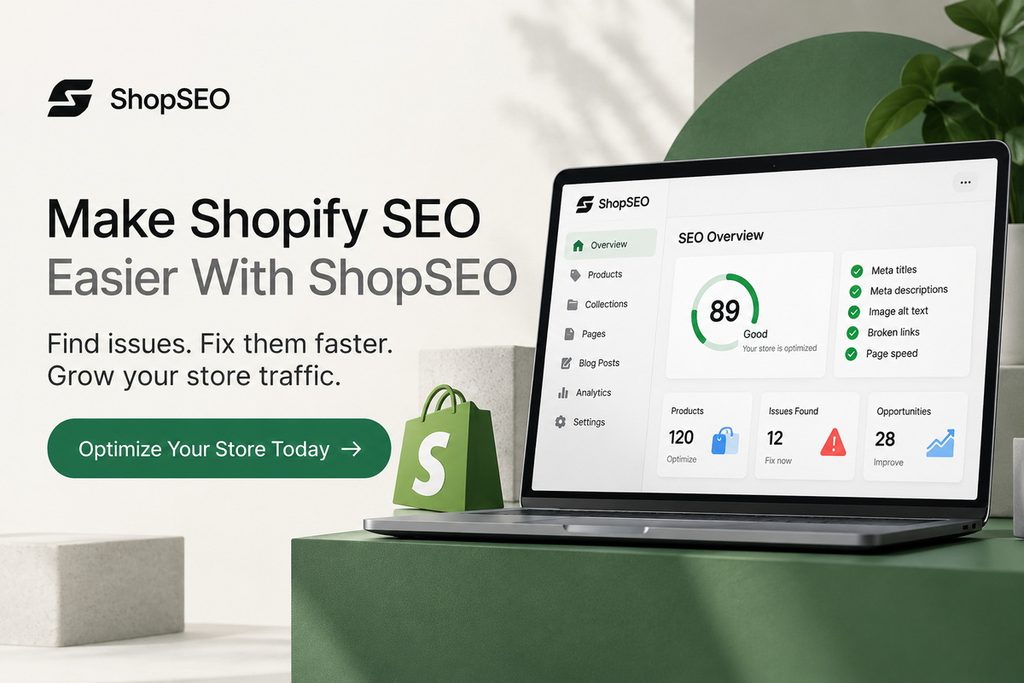
Finding and fixing SEO issues across your Shopify store can take time, especially when you manage hundreds of products. ShopSEO helps you identify issues and simplify your optimization work so you can focus on improving your store’s search visibility.
- Find missing or incomplete SEO details.
- Improve product images and alt text.
- Identify broken links and other website issues.
- Manage important SEO improvements from one place.
Ready to give your store’s SEO a boost? Explore ShopSEO and find out how it can help you improve your Shopify store.
Final Notes
Shopify isn’t bad for SEO. It gives you the basic tools to build a search-friendly store, but you still need useful product descriptions, clear navigation, relevant internal links, and pages that load well.
Start with the improvements that matter most to your customers. Review your product pages, make collection pages more helpful, and check your store regularly for SEO issues. You don’t have to fix everything at once.
Interested in identifying what’s preventing your Shopify store from showing up in search?
Audit your store, fix metadata, images, structured data and internal links issues, and troubleshoot fixes in a single place with ShopSEO
FAQs
1. Do fixed folder names in Shopify links hurt my Google rankings?
Search engines confirmed that having words like products or collections in your links does not hurt search rankings. Google cares about helpful page content and clear site structure rather than removing folder words from your links.
2. How do I fix duplicate product links caused by Shopify collections?
You can fix duplicate collection links by editing your theme code to point directly to root product addresses. Even without this edit, your store automatically adds canonical tags that tell search engines which main link counts.
3. Can a Shopify blog rank as well as a WordPress blog?
Your built-in store blog can rank just as high as any other platform when you write helpful guides. Success comes from answering real buyer questions and linking your articles directly to your top store category pages.
4. Does installing too many Shopify apps ruin my search engine rankings?
Installing too many store apps adds extra script files that slow down your page loading speeds on phones. Since page speed affects search rankings, you should only keep essential tools like ShopSEO on your active store.
5. Can I edit the robots text file on a standard Shopify plan?
Every merchant can now edit their robots text file by creating a custom liquid file inside their theme. This official feature lets you block search bots from crawling low-value tag filters and internal search result pages.
6. Why are my new Shopify products not showing up on Google yet?
New stores often fail to show up because the owner forgot to remove the default storefront protection password. Once you disable the password and submit your sitemap in Google Search Console, bots will index your pages.
7. How does Shopify handle broken links when I delete old products?
Whenever you change a page address inside your dashboard, a checkbox appears to create an automatic URL redirect. Checking this box sends shoppers and search bots smoothly from the old broken link to your new page.
8. Do I need to hire a developer to optimize my Shopify store?
You do not need an expensive developer because most daily optimization tasks happen right inside your store dashboard. Using a dedicated platform like ShopSEO lets you manage meta tags, titles, and keywords without touching complex code.