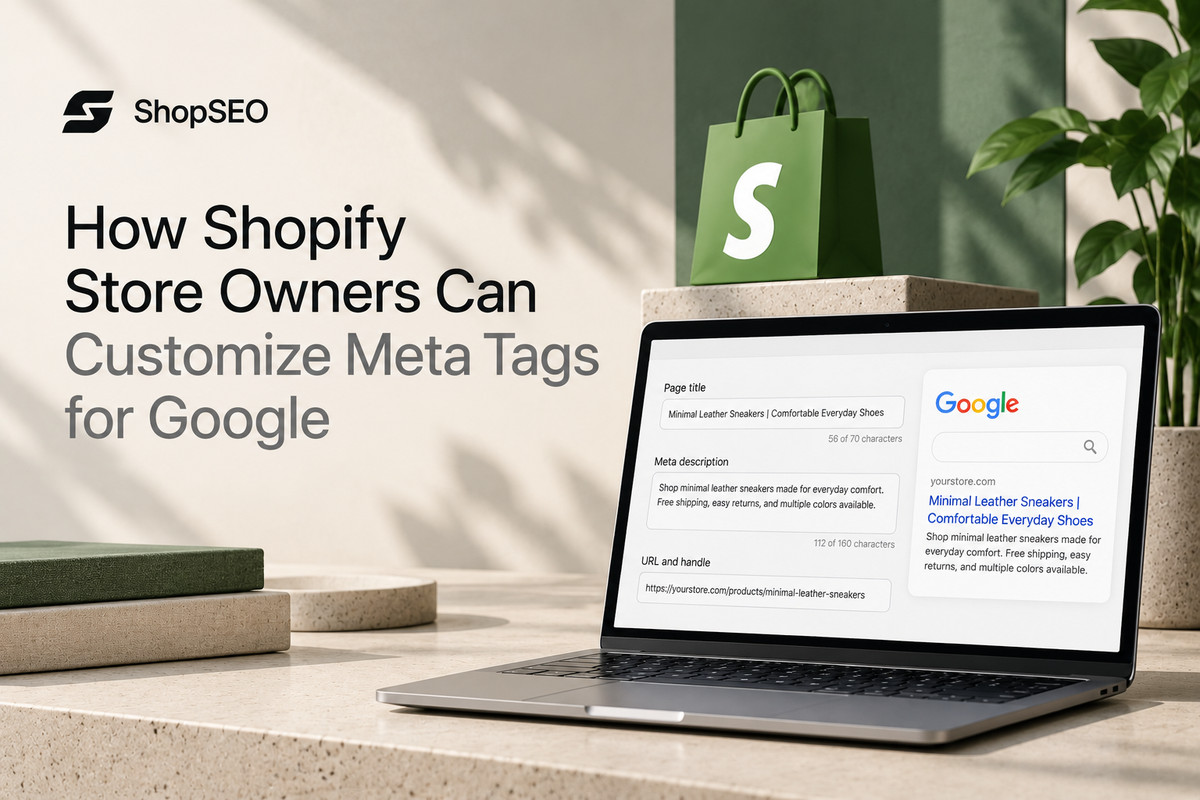
Good meta tags help shoppers understand what your Shopify store offers before they click through from Google. Following Shopify custom meta tags best practices SEO can help you write clearer page titles and descriptions that make your listings more appealing. However, many merchants leave these fields blank or rely on default text that misses important product details. Learning how to customize search listings and add advanced meta tags helps you manage your store’s SEO more effectively.
Why Shopify Custom Meta Tags Best Practices SEO Matters Now?
Good meta tags help your Shopify store stand out in search results and give shoppers a reason to click. Google explains that the title link is often the main piece of information people use to decide which search result to visit.
Applying Shopify SEO best practices for meta titles and descriptions helps you write clearer search listings that explain what each page offers. Google may still adjust the title or description shown based on the search query.
Here is a breakdown of the main meta tags your store uses and how each one drives growth.
| Meta Tag Type | Where It Shows Up Online | How It Helps Your Online Store |
| Title Tag | Appears as the large blue clickable headline in search results. | Tells search bots and shoppers exactly what your page sells. |
| Meta Description | Shows up as the two lines of summary text below headlines. | Convinces searchers to click your store link over competitor pages. |
| Robots Meta Tag | Lives quietly inside your page code for search bots to read. | Controls whether search engines index a page or ignore it. |
| Social Graph Tags | Displays rich previews when people share links on social apps. | Turns plain store links into clickable product cards with photos. |
| Canonical Tag | Sits in your theme header to point toward your main URL. | Prevents duplicate content issues across filtered collection and variant pages. |
Best Practices for Custom Shopify Meta Tags
Small details matter when optimizing Shopify meta titles and descriptions. Keep titles clear, relevant, and easy to understand, and write descriptions that explain what each page offers. Google may shorten or rewrite your search listings depending on the search query, so treat character counts as useful guidelines rather than strict rules.
Here are the golden rules you must follow so search engines never rewrite or cut off your tags.
1. Keep Your Title Tags Between Fifty and Sixty Characters
Search engines typically cut off page titles that run past sixty characters on both desktop and phone screens. Place your primary product or category keyword near the very beginning of the title so shoppers see it. Add your store brand name at the end only if you have enough character space left to spare.
2. Keep Meta Descriptions Around 150–160 Characters
Your meta description gives shoppers a quick reason to visit your store from search results. Shopify’s September 2026 guide recommends using about 160 characters for a meta description, although Google may shorten or rewrite it depending on the search query and device. Put your main benefit first and mention offers like free shipping or fast delivery only when they genuinely apply to your store.
3. Give Every Single Store Page a Unique Tag Pair
Never repeat the exact same title tag or meta description across multiple product pages or collection folders today. When two pages share identical meta tags, search bots struggle to know which page deserves to rank higher. Make sure every item in your catalog highlights its specific color, material, size, or unique buyer use case.
4. Match Your Tags to What the Shopper Actually Wants
Look at the top search results for your target keyword before you write a single word of metadata. If shoppers searching a phrase want a wide selection, point that phrase to a collection page instead. Matching your meta tag tone to buyer expectations lowers your bounce rate and builds strong search engine trust.
How to Edit Standard Meta Tags Across Your Shopify Store?
You can update your Shopify meta titles and descriptions directly from your store dashboard. These SEO settings let you customize how your homepage, product pages, collections, and blog posts may appear in Google search results, helping shoppers understand what each page offers before they click.
Here are the exact steps to locate and update your standard search tags across every part of your store.
- Update Your Store Homepage Title and Description: Open your main store admin sidebar, click on the Online Store menu, and select the Preferences tab directly. Enter your main brand title and store summary in the top fields, then click the save button cleanly.
- Customize Individual Product Search Listings: Open any item inside your Products tab and scroll all the way down to the search engine listing preview. Click the edit button to replace the default product name and body text with custom, click-worthy search copy.
- Optimize Your Product Collection Pages: Navigate to the Collections section under your Products menu and open one of your main store category pages. Scroll down to the search listing box and write a clear title and description covering that whole category.
- Edit Meta Tags on Blog Posts and Info Pages: Open your blog posts or standard informational pages from the Online Store menu inside your main dashboard screen. Scroll to the bottom search preview box to customize how your helpful buying guides appear on Google daily.
Using Shopify Metafields for Advanced SEO Controls
Shopify metafields let you store extra information about products and other store content, but creating a metafield doesn’t automatically add a custom meta tag to your page.
In February 2026, Shopify expanded metafield reporting across four resource types: products, variants, customers, and orders. For SEO, custom fields can support specific tasks when connected to the right theme or app, such as controlling search visibility or displaying additional product information.
Here are the safest ways to add advanced custom meta tags to your store without breaking your theme code.
Create Custom Metafield Definitions for Page Rules:
- Go to your store Settings menu, select Custom Data, and add a new metafield definition for your products.
- Name your field clearly, such as a number integer field called seo hidden, to control search engine indexing.
- When you set that field to the number one on a product, the platform hides it from search bots.
Add Domain Verification Meta Tags in Theme Liquid:
- Search tools like Google Search Console and Pinterest often ask you to paste a custom verification meta tag.
- Open your theme code editor, click on the main theme.liquid file, and find the opening head tag section.
- Paste your verification tag right on a new line below the opening head tag and save your work.
Control Robots Directives Without Breaking Core Code:
- Instead of installing five different plugins to hide out-of-stock or wholesale items, use conditional liquid rules in headers.
- Your theme checks if a specific page template or custom metafield exists before printing a noindex meta tag.
- This clean approach keeps your theme code fast and stops private promotional pages from leaking into public search.
Scale Custom Tag Management Across Hundreds of Products:
- Updating custom fields and search previews one by one takes way too much time for growing online catalogs.
- Smart merchants use ShopSEO to manage, audit, and update custom meta tags across their whole store at once.
- Automating your routine tag updates frees up your week so you can focus on sourcing great new products.
Tired of typing meta titles and descriptions by hand for hundreds of products? Try ShopSEO to generate optimized, high-converting meta tags across your entire Shopify catalog in just a few clicks.
Proven Formulas for High Converting Product and Category Tags
Using repeatable templates makes shopify custom meta tags best practices SEO much easier to manage as your inventory grows. A solid formula ensures your primary keyword, main buyer benefit, and call to action fit inside character limits.
Here are proven meta tag templates you can adapt for every major page type on your online store.
| Store Page Type | Title Tag Formula (50–60 Characters) | Meta Description Formula (150–155 Characters) |
| Product Page | [Product Name] – [Key Material/Feature] | [Brand] | Shop the [Product Name] made with [Key Feature]. Designed for [Target Use]. Order today for fast shipping and easy returns at [Brand]. |
| Collection Page | Shop [Category Keyword] – [Style/Type] | [Brand] | Explore our curated collection of [Category Keyword]. Find durable, high-quality [Sub-items] built for daily comfort. Browse all styles now. |
| Store Homepage | [Brand Name] – [Primary Store Category & Value] | Welcome to [Brand Name], your trusted online shop for [Main Products]. Discover top-rated gear, fair prices, and fast delivery on every order. |
| Blog Guide Page | [Primary Topic Keyword]: [Clear Benefit or Tip] | Learn everything about [Primary Topic Keyword] in our simple step-by-step guide. Discover practical tips to choose the right gear for your needs. |
| Sale Event Page | [Season/Event] Sale on [Category] | [Brand Name] | Save big during our [Season] sale on top [Category] items. Grab limited-time deals on customer favorites before stock runs out this week. |
Common Mistakes That Ruin Your Store Meta Tag Performance
Even when merchants know shopify custom meta tags best practices, small oversights can still hold back their rankings. Auditing your store for these common metadata mistakes will quickly improve how search engines display your pages online.
Here are the most frequent meta tag errors found on online stores and how you can avoid them.
- Leaving Search Listing Boxes Completely Blank
When you leave the search listing box empty, the platform automatically pulls the first lines of your page text. Product specifications or shipping bullet points rarely make a compelling summary when shoppers scan search engine results pages. Always write a dedicated two-sentence summary in the search preview box for your top selling items and collections.
- Stuffing Too Many Keywords Into One Title
Repeating your main keyword three times inside a single title tag looks spammy to both shoppers and Google. Search engines prefer natural, readable headlines that clearly describe the item without sounding like a broken robot list. Use your primary keyword once near the start of your title and use the remaining space for benefits.
- Ignoring Duplicate Tags on Paginated Collection Pages
When a large category spans across multiple pages, page two and page three often share the exact same title. While canonical tags help manage this, adding page numbers via your theme template keeps every title completely distinct. Clean pagination tags help search bots crawl deep into your product catalog without flagging duplicate metadata warnings.
- Pasting Unclosed Tags Inside Your Theme Header
If you manually add custom meta tags inside your theme.liquid file, one missing bracket can break your header. Broken HTML code inside your header section can stop search bots from reading your title and canonical tags. Rather than risking manual coding mistakes, use ShopSEO to keep all your store metadata clean, valid, and safe.
Fix Shopify Meta Tag Issues Faster With ShopSEO
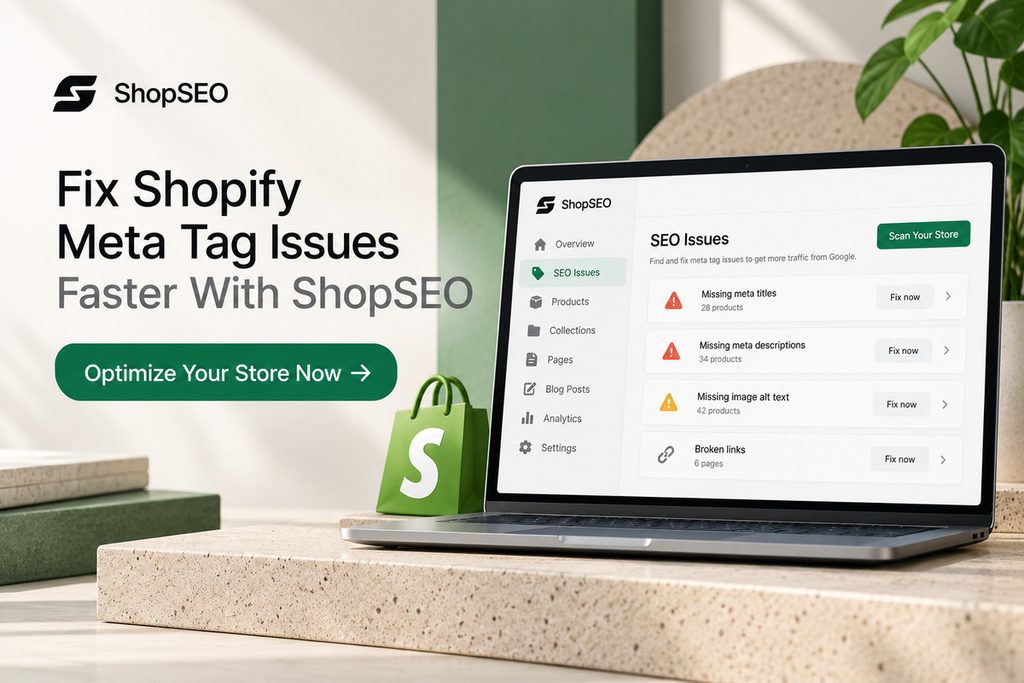
Managing meta titles and descriptions across hundreds of products can become tedious. ShopSEO helps you find missing metadata, identify duplicate titles and descriptions, and update your store’s SEO details without handling every page manually.
- Find SEO issues: Audit your products, collections, pages, and blog posts to see what needs attention.
- Update metadata in bulk: Edit meta titles and descriptions across multiple records instead of changing them one by one.
- Use AI when needed: Generate metadata with AI credits and review the results before applying changes.
- Keep track of problems: Get clear recommendations for fixing issues rather than just a list of errors.
Ready to improve your Shopify store’s metadata? Try ShopSEO for free to audit your store, find gaps, and start fixing the issues that matter.
Final Notes
Well-written meta titles and descriptions help shoppers understand what your Shopify pages offer before they click. Keep them unique, relevant, and easy to read. Review your product pages, collections, and blog posts regularly to catch missing details and outdated information. Remember, strong metadata can improve how your pages appear in search results, but it doesn’t guarantee higher rankings.
Managing these details across a growing catalog doesn’t have to mean editing every page manually. ShopSEO helps you audit your store, find missing metadata, and update titles and descriptions individually or in bulk.
Spend less time chasing SEO issues and more time running your store. Explore ShopSEO and see how you can simplify your store’s SEO work.
FAQs
1. Why is Google showing a different meta description than the one I wrote?
Search engines sometimes rewrite your meta description if your custom text does not match the shopper’s search query. Writing clear descriptions that naturally include your main page keywords stops Google from pulling random text from pages.
2. How do I hide a specific Shopify product from Google search results?
You can hide a product from search engines by creating an integer metafield named seo.hidden set to one. This built-in platform feature automatically adds a noindex meta tag and removes that item from your XML sitemap.
3. Where are meta tags located inside the Shopify theme code files?
Your store meta tags live inside the head section of the main theme.liquid file inside your code editor. The system uses special liquid variables like page_title and page_description to pull your dashboard text into code automatically.
4. Does changing my meta title change the main heading on my product page?
Editing the search engine listing title at the bottom of a product page only changes your search result headline. Your visible on-page product title stays the exact same for shoppers browsing inside your online store catalog.
5. Can I use emojis inside my Shopify meta titles and descriptions?
You can paste relevant emojis into your search listing fields, and search engines will display them when they fit. However, only use one clean symbol per snippet because overusing emojis can make your store look less trustworthy.
6. How long does it take for Google to update my new Shopify meta tags?
Once you save your new meta tags, search engines usually update your live search snippet within several days. You can speed up this process by requesting a fresh page crawl inside your Google Search Console account.
7. Do keywords inside my meta description directly boost my search rankings?
Search engines do not use words inside the meta description tag as a direct ranking signal for your pages. Instead, matching keywords appear in bold text inside search results, which increases your click-through rate from shoppers.
8. What is the fastest way to fix missing meta tags on a large store?
Auditing and writing hundreds of missing product meta descriptions by hand can take weeks of valuable business time. Connecting ShopSEO to your store lets you find missing tags and generate optimized metadata across your catalog fast.
Leave a Reply