Following proven shopify best practices in 2026 helps your online store attract ready buyers from organic search results daily. Shopify’s October 2026 ecommerce SEO guide reports that orders arriving at Shopify stores from AI search are up 13 times year over year, highlighting the growing importance of online visibility.
Most merchants lose valuable traffic because small technical errors quietly pile up across hundreds of product pages over time.
Here are the core focus areas that will help your catalog rank higher across search engines and AI answers:
- Quick Summary for Busy Merchants:
- Verify Core Indexing First: Connect your store domain to Google Search Console and submit your automated XML sitemap file immediately after launching.
- Fix Empty Collection Pages: Add helpful category descriptions and clean headings to every collection page so search engines understand your product groupings.
- Eliminate Duplicate Metadata: Replace repeated descriptions and raw SKU titles across product variants with unique, readable titles and clear meta descriptions.
- Clean Up Conflicting Schema: Ensure your theme and installed apps do not output conflicting structured data that causes Google to ignore both.
- Protect Real User Speed: Compress oversized camera photos, defer heavy scripts, and keep your Core Web Vitals passing on mobile devices daily.
How Built-In Store Features Support Modern Search Rankings?
Shopify handles several foundational technical tasks automatically right out of the box when you open your online retail store. Understanding what the platform already manages prevents you from installing redundant tools that slow down your storefront code.
Here is how default platform features compare against the manual optimization tasks you still need to manage yourself:
| SEO Component | What Shopify Handles Automatically | What You Must Optimize Manually |
| XML Sitemap Files | Automatically generates sitemap.xml listing your products, collections, blog posts, and static marketing pages. | Submit your sitemap link inside Google Search Console and check weekly for unexpected indexing errors. |
| Robots.txt Rules | Creates a default robots.txt file that blocks search crawlers from indexing checkout and admin pages. | Audit custom robots.txt.liquid edits only if internal faceted filters create thousands of low-value URLs. |
| Canonical URL Tags | Adds self-referencing canonical tags to prevent basic duplicate content issues across standard store pages. | Ensure internal product links point directly to clean /products/ URLs rather than nested collection paths. |
| SSL Security Certificates | Activates free HTTPS encryption across your entire custom domain to protect shopper data and rankings. | Check that old HTTP links or external images do not trigger mixed content security warnings. |
| Page Title Templates | Appends your brand name to page titles automatically using your default theme liquid layout files. | Rewrite raw product titles and custom meta tags so every listing targets real buyer searches. |
Fixing Store Structure and Collection Pages for High Reach
A clean website hierarchy helps search engine crawlers and human shoppers find your best products in three simple clicks. When your pages connect logically from home to collections to products, search authority flows smoothly across your catalog.
Here are the three structural improvements that deliver the fastest organic ranking gains for growing online stores today:
- Optimizing Collection Pages for Category Terms
Collection pages help shoppers browse related products when they’re not looking for one specific item. Google’s January 2026 update revealed that its Shopping Graph contains over 50 billion product listings, with more than 2 billion refreshed every hour.
With so many products available for discovery, clear collection titles, helpful descriptions, and relevant subheadings help explain what your category offers. Instead of relying on a bare product grid, give shoppers useful information that helps them compare options and choose the right products.
- Resolving Duplicate Variant URLs With Canonicals
Many online catalogs accidentally create duplicate content when color or size variants generate separate parameterized URLs across collections. While Shopify adds default canonical tags, internal theme links often point to long collection-based product URLs by mistake. Updating your theme templates so product cards link directly to the canonical product URL consolidates your ranking power.
- Repairing Broken Internal Links Across Catalogs
Discontinuing seasonal items or changing URL handles often leaves dead 404 links scattered across your blog and collections. When shoppers or search bots hit dead links, you lose both immediate sales and valuable internal page authority. Scanning your entire catalog regularly lets you replace broken internal links or apply clean 301 redirects right away.
Want to see every broken link and thin collection page across your catalog right now?
Run a free, read-only store scan at ShopSEO to get a scored list of every URL you own with plain-English instructions on how to fix each issue.
Writing Product Titles and Meta Tags That Win More Buyers
Every product, collection, and blog post needs clear metadata that tells search engines and shoppers what you offer. Stores that leave SKU codes as titles or duplicate descriptions across variants lose clicks to clearer competitors daily.
Here is how you can structure every on-page element to maximize both search relevance and organic click-through rates:
- Page Title Tags (Meta Titles):
- Keep Titles Under Sixty Characters: Search engines truncate long titles, so place your main product keyword and primary benefit near the front.
- Replace Internal SKU Codes Immediately: Never publish warehouse item numbers as public titles because real shoppers search for descriptive product names instead.
- Match One Primary Intent Per Page: Use commercial category phrases on collection pages and specific buyer keywords on individual product listings.
- Meta Descriptions That Earn Clicks:
- Write Unique Copy for Every URL: Avoid letting your store copy the same generic sentence across four thousand product variants by mistake.
- Include Clear Buyer Benefits: Mention core material details, fast shipping policies, or specific product uses within one hundred fifty-five characters.
- Use Templates for Large Catalogs: Set up dynamic metadata rules so newly saved products automatically get clean titles and descriptions without manual typing.
- Unique Product Body Copy:
- Rewrite Manufacturer Descriptions: Copying supplier descriptions puts your store in direct duplicate content competition against dozens of other retailers. Shopify’s 2026 product content guide cites Salsify research showing that 53% of shoppers abandoned a purchase because product descriptions or titles were incomplete or poorly written. Hence, rewrite each description with accurate product details, practical benefits, and information that helps customers choose.
- Answer Practical Buyer Questions: Include exact sizing specs, care instructions, and material facts so buyers feel confident completing their purchase.
- Descriptive Image Alt Text:
- Remove Generic File Labels: Alt text that simply says “image” or IMG_4029.jpg wastes valuable Google Image Search traffic and hurts accessibility.
- Describe the Product Clearly: Write plain descriptions including the product name, color, and type to pass both accessibility and ranking checks.
Using Clean Structured Data and Schema for AI Search Views
Modern search engines and AI shopping assistants rely on structured data markup to read your prices and stock. When your store outputs clean schema alongside clear answers, your products earn rich snippets and AI citations faster.
Here is what you need to configure to satisfy traditional search crawlers, answer engines, and generative AI platforms:
| Optimization Pillar | Core Technical Requirement | Common Shopify Mistake to Avoid | Direct Impact on Search & AI Visibility |
| Product Schema Markup | Output valid JSON-LD showing price, currency, stock availability, SKU, and verified customer review ratings. | Letting your theme and an SEO app output conflicting Product schema twice on the same page. | Unlocks rich product snippets in Google Search and feeds accurate live pricing into AI shopping overviews. |
| BreadcrumbList Schema | Mark up the category path from your home page to the collection and final product listing. | Omitting breadcrumb markup on product templates, which leaves bare URLs in search results. | Displays a clean clickable category trail above your title tag and clarifies catalog hierarchy for bots. |
| Organization Schema | Define your official store name, brand logo, customer support contact details, and verified social profiles. | Leaving brand identity fields incomplete across your theme settings and structured data blocks. | Builds entity trust so generative AI engines recognize and cite your store as a verified merchant. |
| Conversational FAQ Blocks | Answer common buyer questions about sizing, materials, and shipping using natural, direct sentences on key pages. | Burying vital product specifications inside long walls of unformatted text or image graphics. | Captures voice search queries, People Also Ask boxes, and direct citations inside AI answer engines. |
If you want to prevent schema conflicts without editing theme code manually, you can explore the ShopSEO Features page to see how Product, Breadcrumb, and Organization markup can be switched on cleanly one type at a time.
Keeping Store Speed and Core Web Vitals Healthy All Year
Google uses real-world Core Web Vitals data from Chrome users as an official ranking signal for every website. A fast storefront keeps impatient mobile shoppers from bouncing back to search results before your products even appear.
Here are the three official Google performance metrics you must keep in the green zone across your store:
- Lowering Largest Contentful Paint Under Target
Largest Contentful Paint measures how quickly the main banner or product photo loads on a shopper’s screen. Google Search Central recommends keeping this loading time under 2.5 seconds for a healthy user page experience. Compressing multi-megabyte camera photos and loading your main product image first helps your pages pass this check easily.
- Reducing Interaction Delay From Heavy App Code
Interaction to Next Paint measures how fast your page responds when a shopper taps a menu or button. To maintain a good user experience, your store must keep this response delay under 200 milliseconds consistently. Deferring non-essential app scripts until after the main page loads stops heavy JavaScript from freezing mobile screens.
- Stopping Layout Shifts With Fixed Media Sizes
Cumulative Layout Shift tracks whether buttons or text jump around unexpectedly while images and fonts finish downloading. Your pages should maintain a visual stability score below 0.1 so shoppers never tap the wrong button. Setting explicit width and height attributes on images and displaying text while fonts load prevents jarring shifts.
Auditing Your Entire Catalog Continuously Without Guesswork
Treating search optimization as a one-time setup fails because online stores change constantly as new inventory arrives. Every time you add products, edit collections, or update your theme, new metadata gaps or broken links appear.
Here is a practical four-step workflow to keep every URL in your store optimized without spending hours in spreadsheets:
- Step 1: Run a Full Read-Only Store Audit First:
- Scan your products, collections, blog posts, standard pages, and images together so no hidden page type gets missed.
- Ensure your auditing process is strictly read-only so checking your store never alters your live theme code unexpectedly.
- You can check how continuous scoring works on the ShopSEO Store Audit page before changing a single setting.
- Step 2: Sort Issues by Severity and Page Type:
- Group findings into clear categories like missing metadata, dead 404 links, oversized images, and duplicate schema blocks.
- Fix your worst-scoring revenue pages and top collection hubs first to generate the fastest organic traffic lift.
- Step 3: Apply Written Fixes in Bulk or One by One:
- Follow plain-English recommendations that explain exactly what to change instead of cryptic technical error codes.
- Use bulk templates to update missing meta titles, descriptions, and image alt text across hundreds of items at once.
- Step 4: Automate Rules for Every New Product You Save:
- Set up autopilot templates so every new product and photo gets clean metadata and alt text upon creation.
- Let continuous background checks alert you immediately if a theme update or deleted product breaks a link.
Find and Fix Shopify SEO Issues With ShopSEO
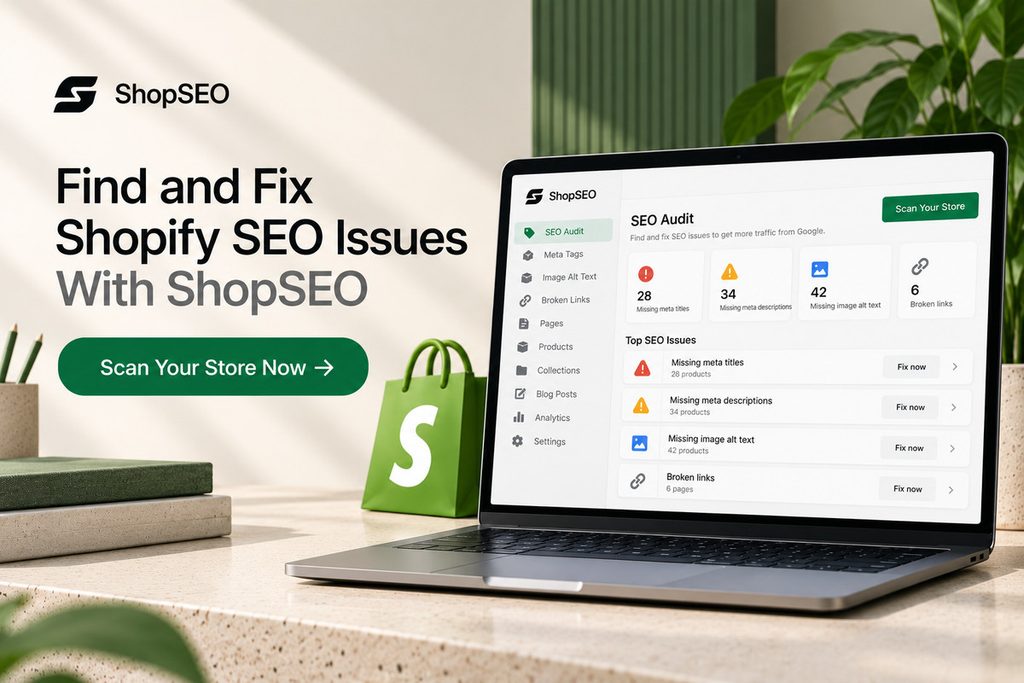
Keeping a Shopify store optimized takes more than updating product titles. Missing meta descriptions, broken links, duplicate schema, and oversized images can go unnoticed as your catalog grows.
ShopSEO helps you find these issues and work through the fixes in one place.
- Audit your store: Check products, collections, pages, blog posts, and images.
- Fix missing metadata: Edit meta titles, descriptions, and alt text individually or in bulk.
- Find broken links: Identify dead internal links and see where they appear.
- Check structured data: Find missing or conflicting schema markup.
- Improve images: Use image optimization and manage missing alt text.
The full store audit is available on ShopSEO’s free plan, with no credit card required. The audit is read-only, so nothing changes until you choose to apply a fix.
Final Notes
Applying these shopify best practices in 2026 gives your store a clean, fast foundation that search engines reward. You do not need to fix four thousand catalog issues by hand when automated auditing can spot them first.
Here is how you can start improving your organic visibility today without risking your live storefront:
- Visit ShopSEO to run a complete, read-only audit across your products, collections, blog posts, and images.
- Review your scored URL list and see plain-English instructions for every missing meta tag, broken link, or slow image.
- Apply fixes one page at a time or across your whole store with automatic theme backups and rollback protection.
Start by finding out what’s holding your store’s SEO back. Run a free Shopify SEO audit with ShopSEO and get a clearer picture of what needs attention.
FAQs
- Does Shopify handle SEO automatically for stores?
Shopify automates foundational items like creating your XML sitemap, generating default canonical tags, and securing pages with SSL. You still need to write unique metadata, optimize collection copy, compress images, and fix broken internal links manually. Without your input, default product variants and empty category pages will struggle to outrank established competitors.
- Why are my collection pages not ranking well?
Most collection pages fail to rank because they only display a grid of products without any descriptive text. Search engines need clear headings and helpful category copy to understand how your products relate to buyer searches. Adding unique introductory text and internal links turns thin collections into strong category hubs that attract traffic.
- How do I fix duplicate content on product pages?
Duplicate content usually happens when product variants generate multiple URLs or when stores copy manufacturer descriptions verbatim. You should ensure internal collection links point directly to the main canonical product URL without collection path prefixes. Additionally, rewrite product descriptions and variant meta tags so every indexable page offers unique value to shoppers.
- Can having two SEO apps hurt my store rankings?
Yes, running multiple SEO apps or overlapping theme features often causes duplicate structured data markup on your pages. When your theme and an app emit conflicting Product schema at the same time, Google ignores both. Stick to one clean source for structured data and remove leftover code from old uninstalled apps.
- What is the best image size for store SEO?
Photos uploaded straight from a camera at several megabytes slow down mobile page loading and hurt rankings. You should resize product photos to match your theme display dimensions and compress them into lightweight WebP files. Keeping individual product images under a few hundred kilobytes protects your Largest Contentful Paint score on mobile.
- How does AI search change Shopify optimization?
AI search engines and shopping assistants pull answers directly from structured data, clear headings, and conversational FAQs. Stores with accurate Product and Organization schema alongside plain-English product specs get cited far more reliably. Keeping your titles, pricing markup, and stock status clean ensures AI tools recommend your products accurately.
- How often should I run a store SEO audit?
You should audit your store continuously rather than treating optimization as a once-a-year cleanup project. Adding new products, deleting sold-out items, or editing theme templates can introduce missing metadata and broken links overnight. Continuous scanning catches regressions immediately so your organic rankings never slip due to unnoticed catalog errors.
- Does auditing my store change my live theme?
A trustworthy store audit should always be strictly read-only so scanning your catalog never alters your live site. You should be able to review your scores and read every recommendation before deciding which fixes to apply. Always make sure your tool backs up your theme before applying any speed or template updates.
Leave a Reply